A High-Quality Music Player for Your Personal Collection on iPhone and iPad

Built for high-quality mobile listening, with enhanced support for external DACs.

Mid-Autumn Special

Mossca for iOS will be free for 24 hours on September 25, 2026.

Celebrate the Mid-Autumn Festival and experience the latest Mossca Audio Engine update.

September 25 only.

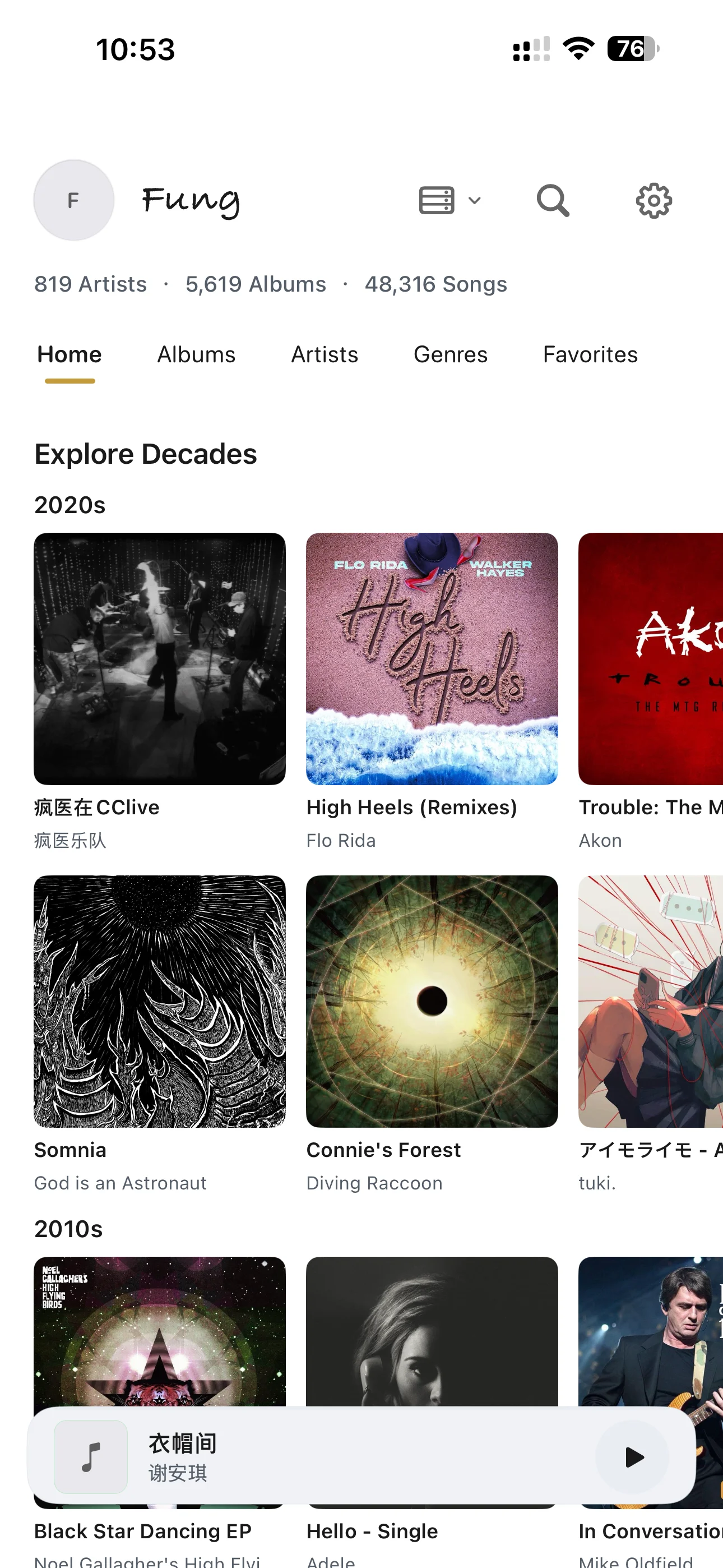
Mossca Mobile 专辑库界面

01

01. Sound Quality Is at the Core of Mossca

Every part of Mossca is designed and developed around sound quality, with the goal of getting the most from your system and audio hardware.

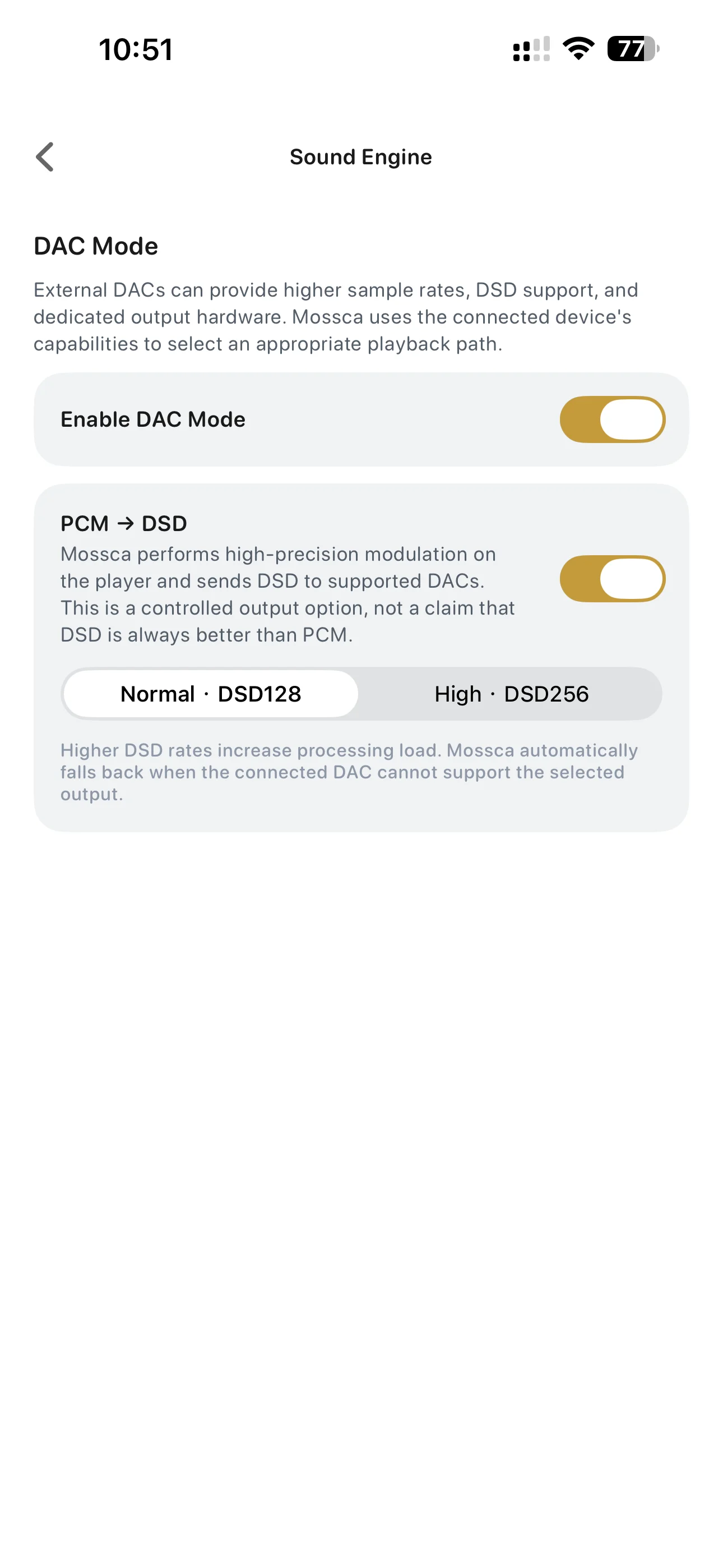
Playback

  • Bit-Perfect (Mac)
  • Exclusive Output (Mac)
  • External DAC optimization
  • DSD DoP playback

PCM supports up to 32-bit / 768 kHz, and DSD up to DSD512.
02

02. Connect to Your Music Library in Multiple Ways

No matter where your music collection is stored, Mossca makes it easy to connect, import, and play.

Local Music Library

  • Import music directly to your device
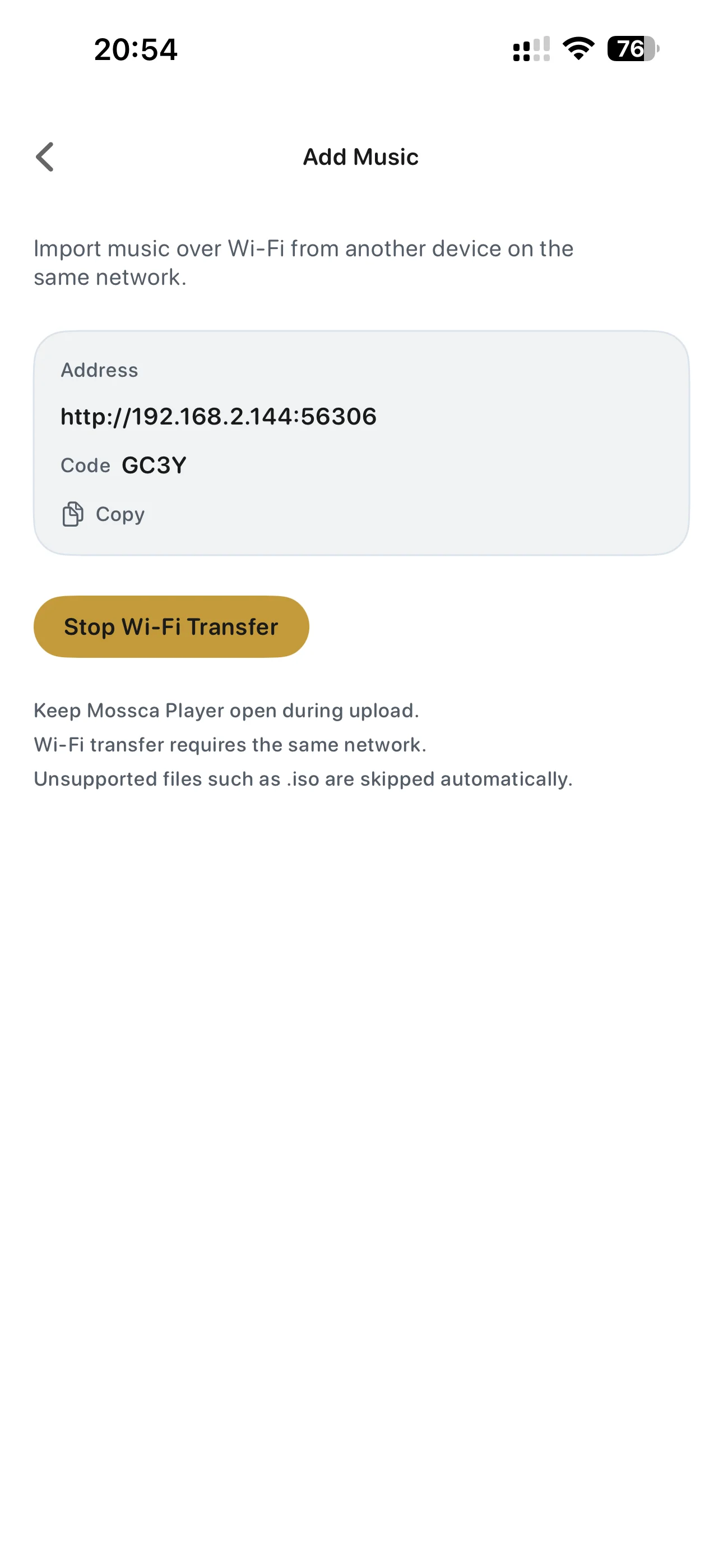
  • Batch import through Wi-Fi Transfer from a web browser on your computer
  • Batch import through the iOS Files app
  • One-tap sync with your Mac music library

Music Servers

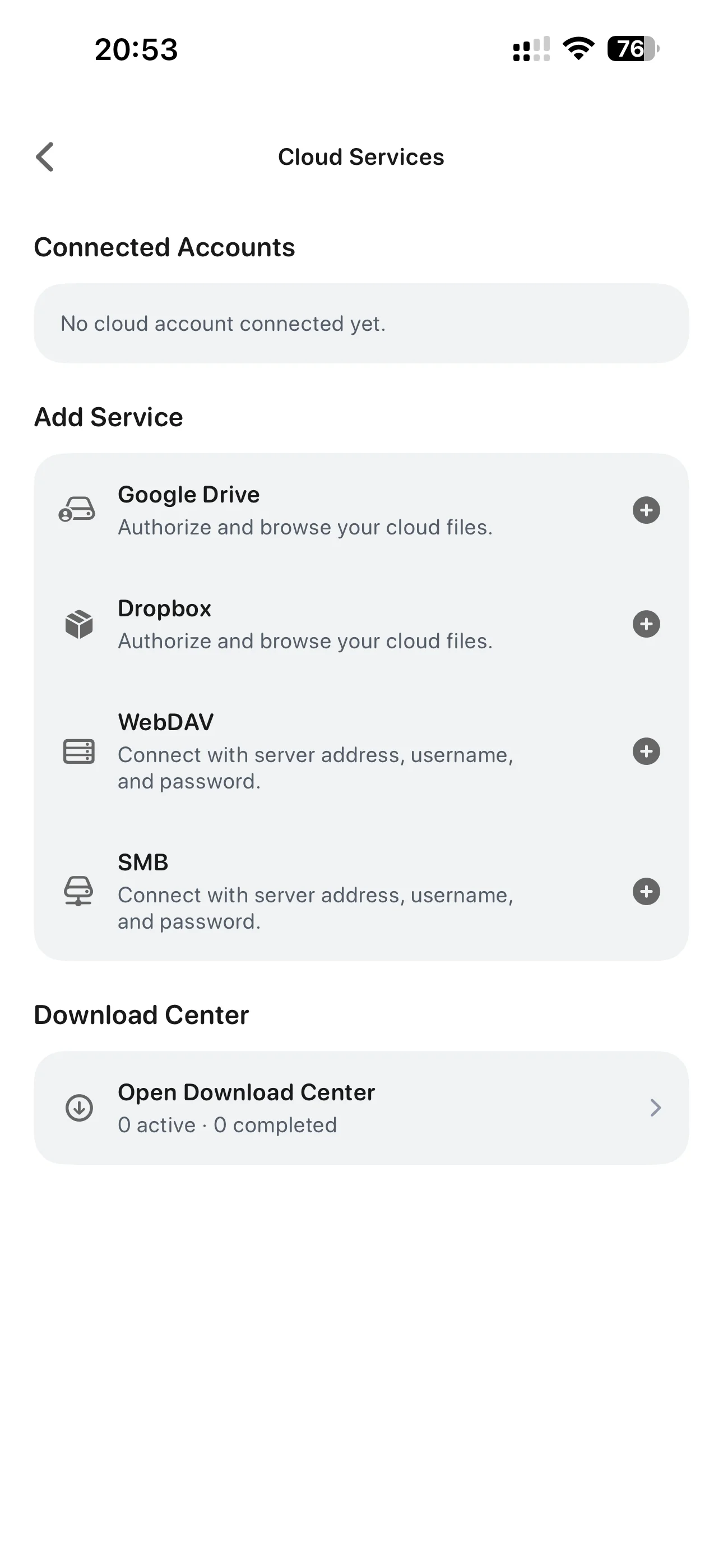
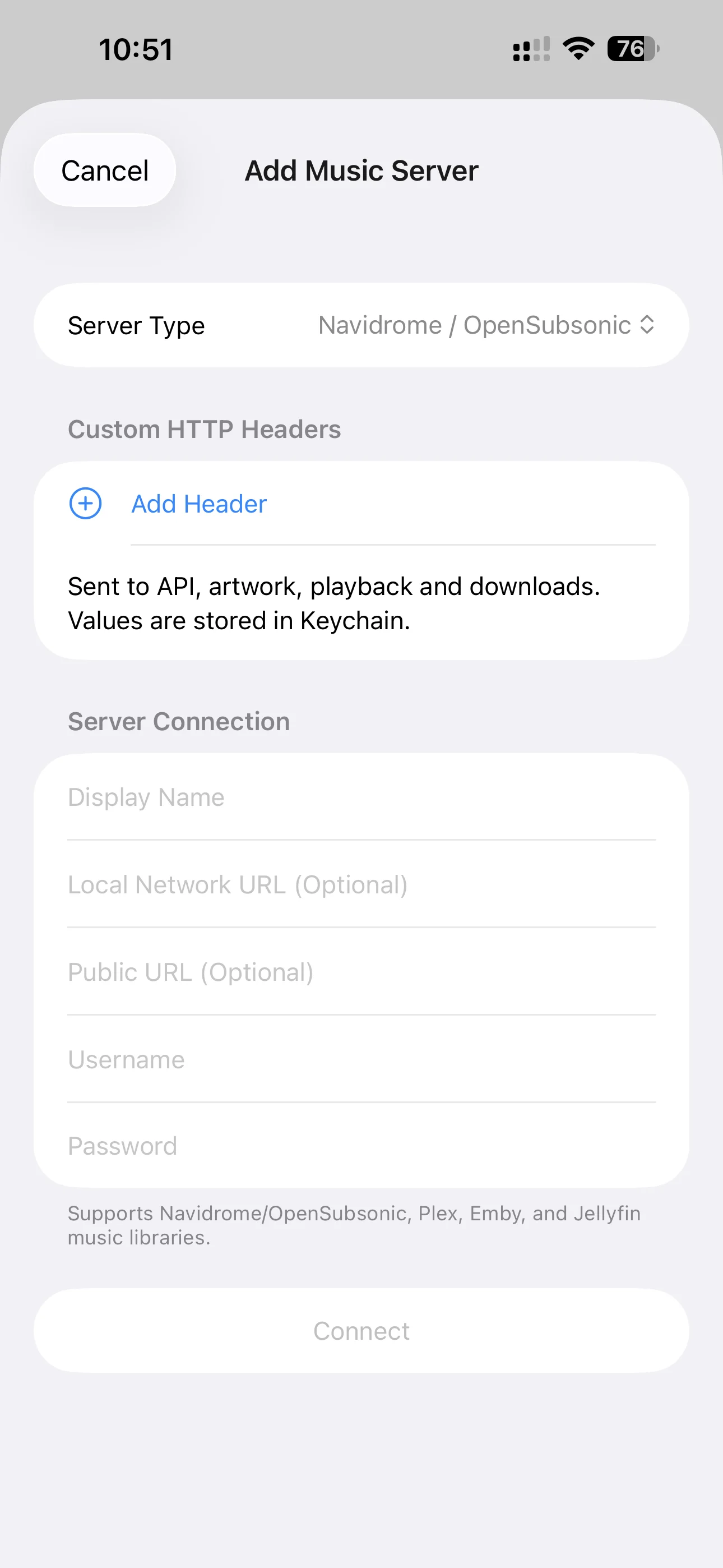
  • Connect your own music server via WebDAV or SMB to download and import music, or connect directly to a hosted music server.
  • Mossca Server
  • Navidrome / OpenSubsonic
  • Jellyfin
  • Emby
  • Plex
  • Configure transcoding formats and bitrates to enjoy your own music library across desktop, web, mobile, and CarPlay.

03

03. Browse and Manage Your Music Library

A personal music library should be more than a collection of files. Mossca organizes your collection in two complementary ways.

Built Around Artists and Albums

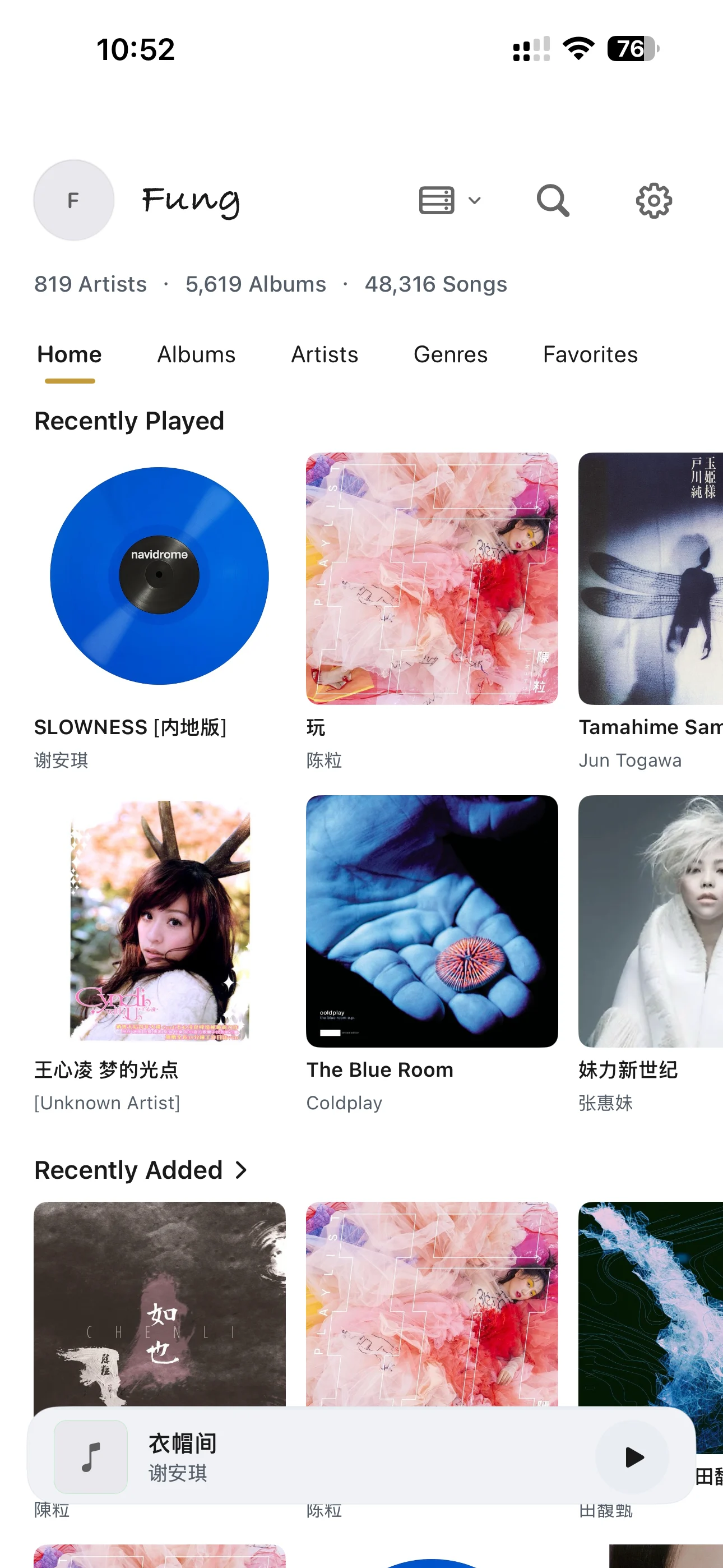
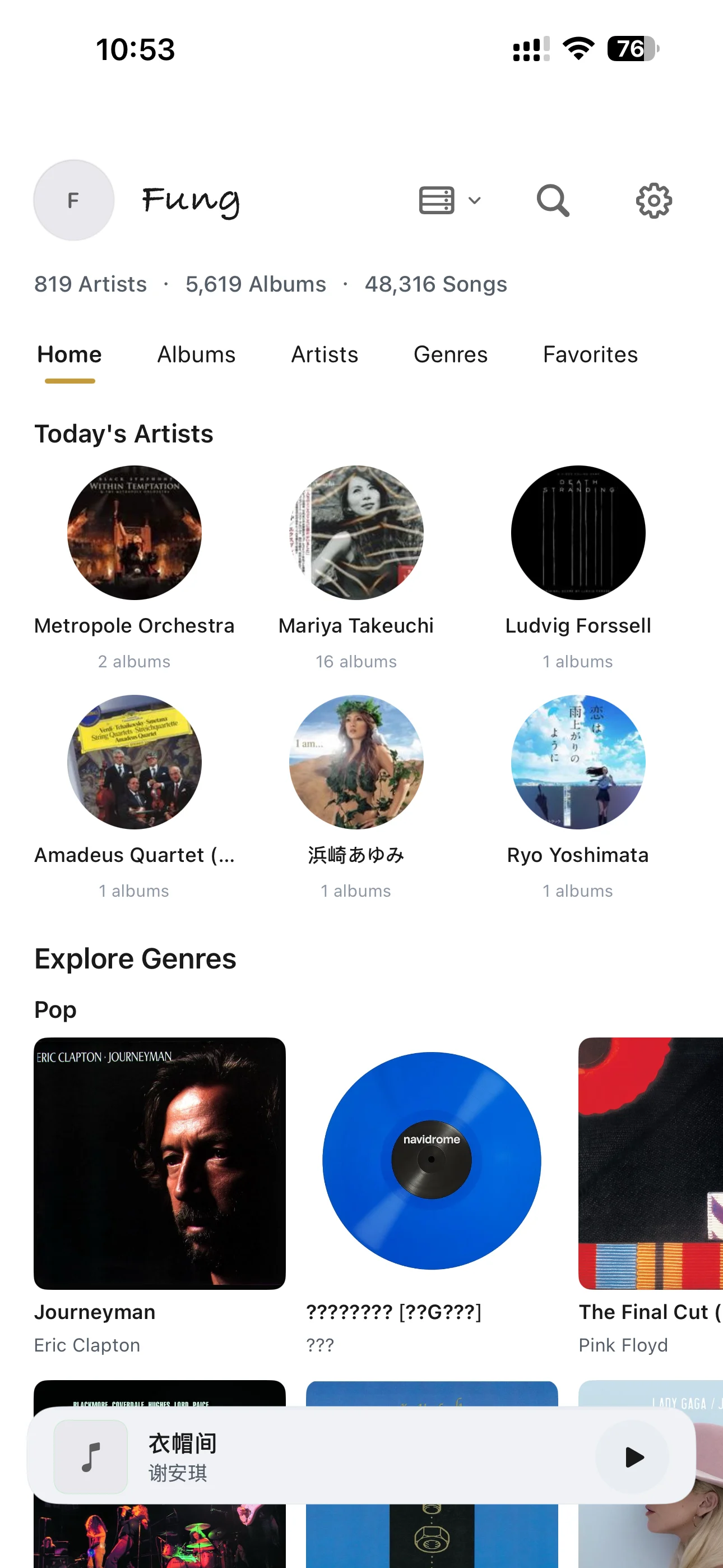
We don’t put individual tracks at the center of the experience, because an album is a complete musical expression. Mossca reorganizes how your library is presented, helping you rediscover your own collection with the ease of an online music service.

  • Recently Played
  • Recently Added
  • Album of the Day
  • Artist of the Day
  • Decades
  • Genres
  • Music Culture

Connect Albums and Artists with Tags

Tags provide a flexible way to connect and organize your music library. In the future, Mossca Server will automatically generate Tags for your library without modifying the Metadata in your source files. For example:

  • Sleep at Night
  • Island Getaway
  • Top 500 Contemporary Rock Albums
  • Taiwan Post-Rock

The Tag system is currently in development and is planned to launch first for Mossca Server users. Automatic library correction and Metadata enrichment on Mossca Server are also under development, reducing the need to edit your collection item by item.
04
04. More Experiences, Continuously Improved

  • Multiple Themes:More visual themes and styles will continue to be added.
  • CarPlay Support:Download music from your online collection for local playback or stream over mobile data. Transcoding format and bitrate can be configured to improve playback speed and reduce data usage.
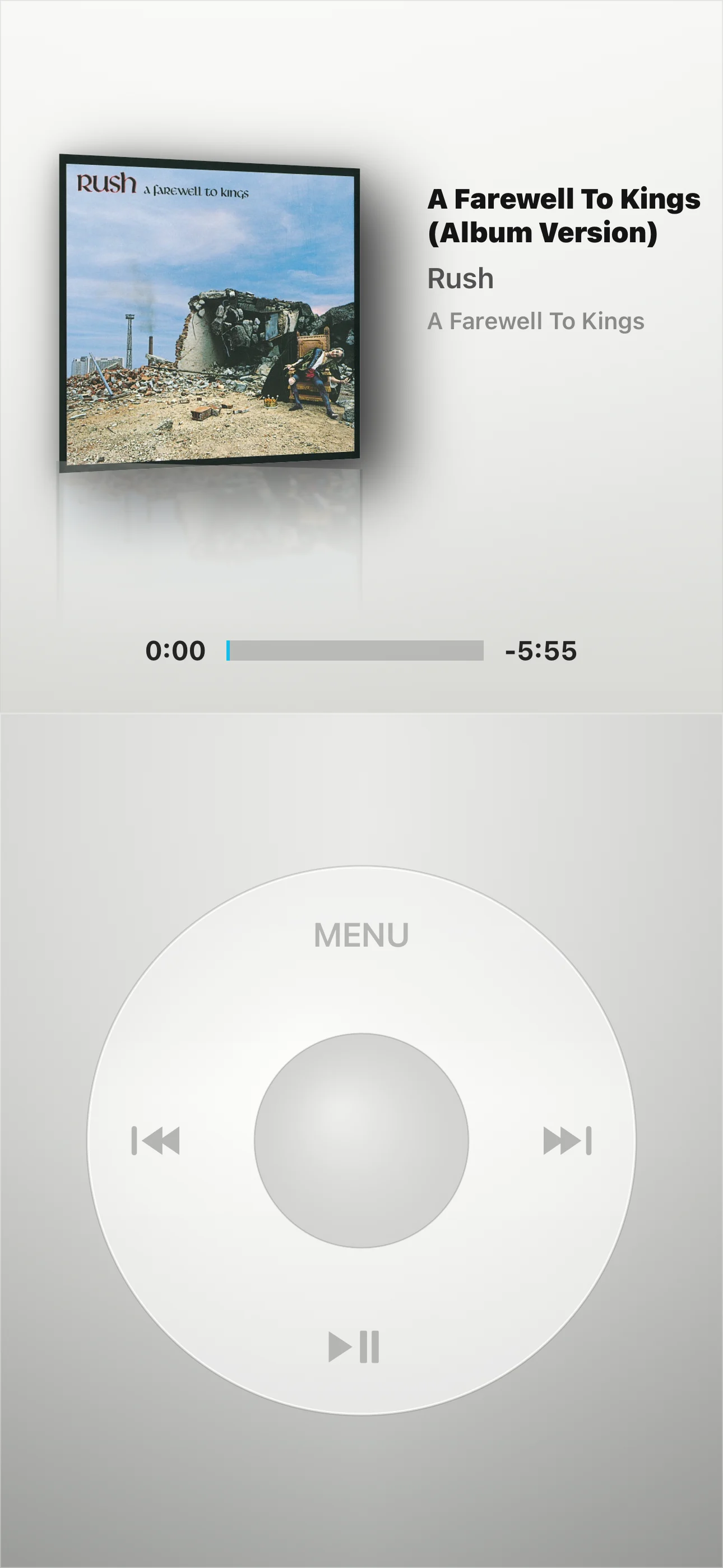
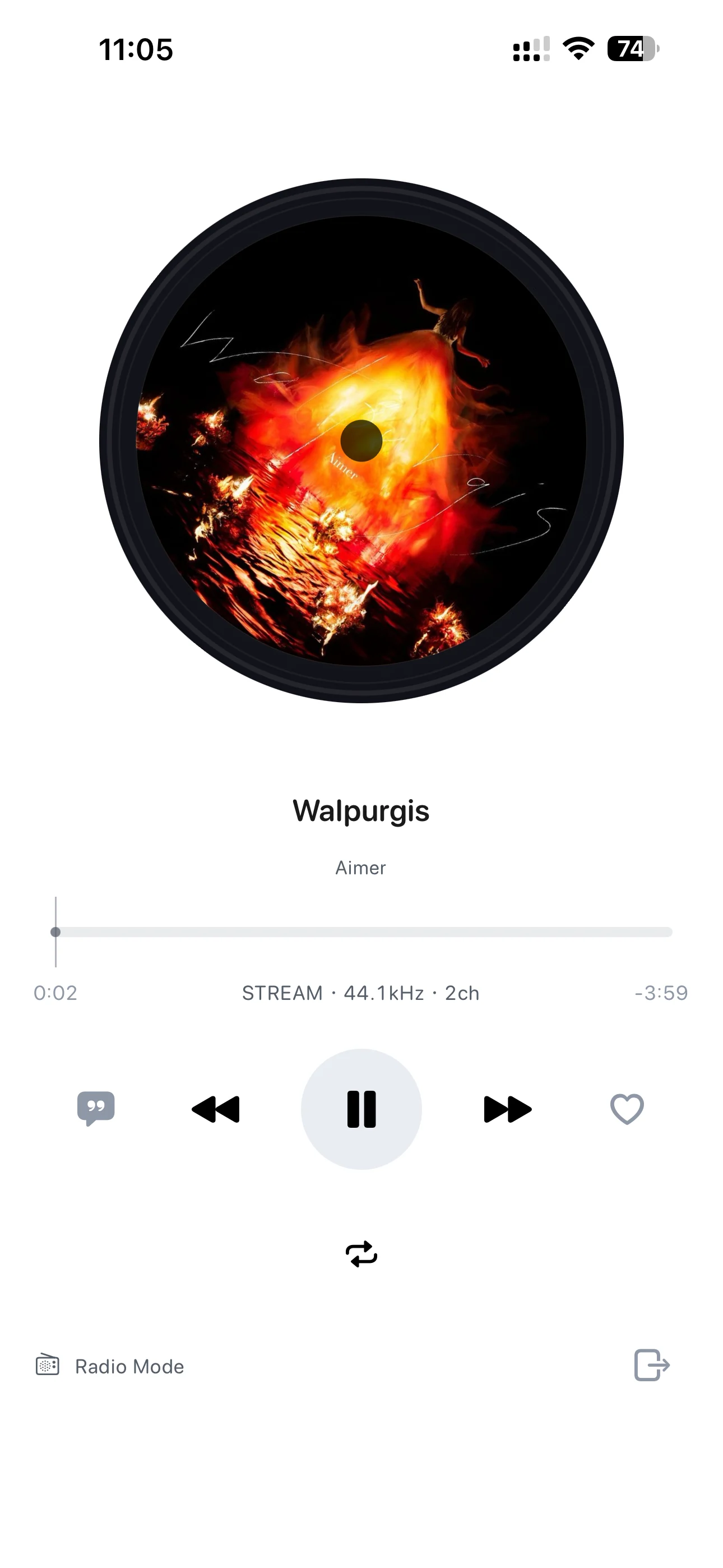
  • Multiple Listening Modes:Radio Mode lets you continuously discover music from your own library, while iPod Mode provides a classic click-wheel-inspired listening experience.
    These modes are currently available on iOS only.
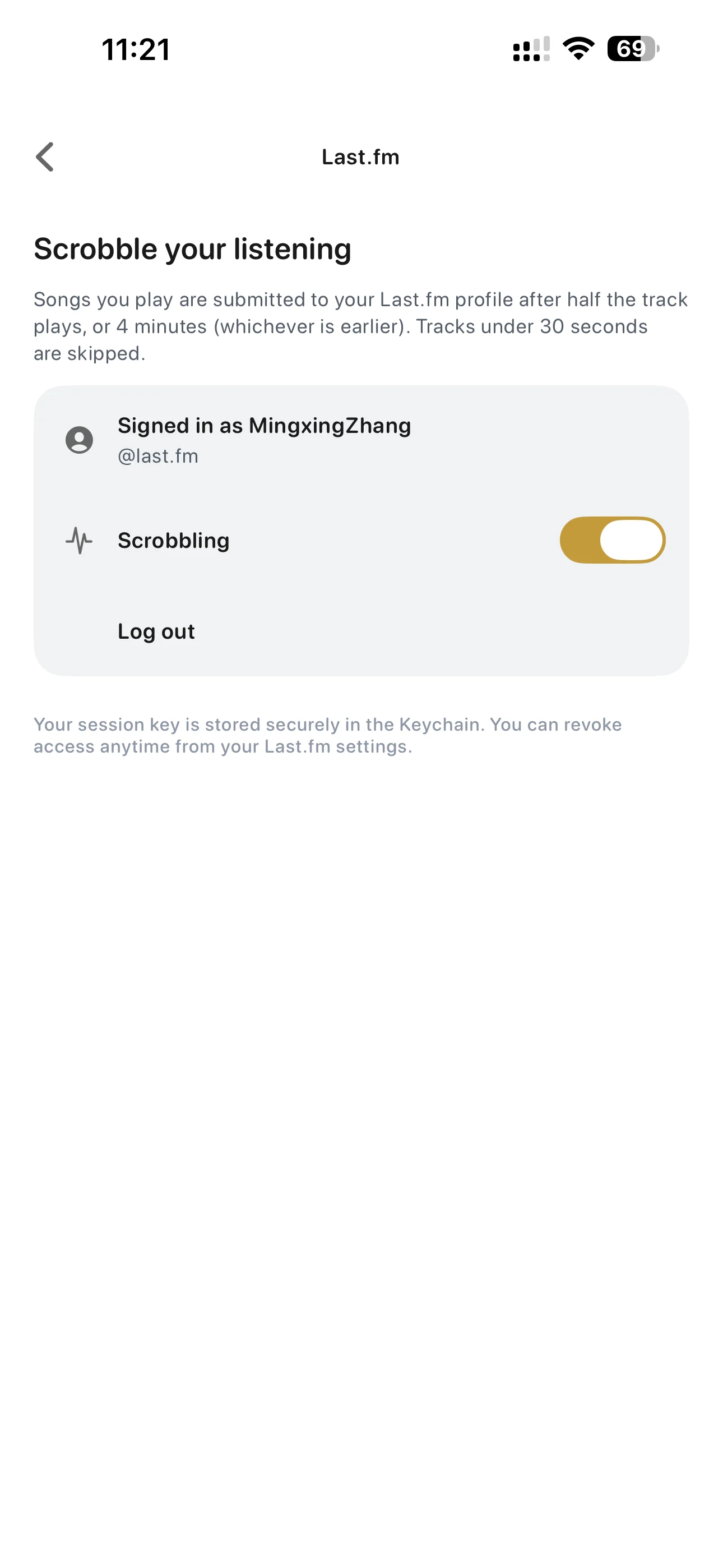
  • Last.fm: Supports Last.fm Scrobbling to automatically sync your listening history.

05

Specifications

A high-quality personal music playback experience designed for iPhone and iPad.

Mossca for iPhone & iPad

Supported Formats

DSD: DSF / DFF · FLAC · WAV · AIFF · ALAC · MP3 · AAC / M4A · CUE sheets

System Requirements

iOS 17.6 or later

iPhone · iPad

Languages

简体中文 · 繁體中文 · English · 日本語 · 한국어 · Deutsch · Français · Español · Português (Brasil) · Italiano · Polski · Русский

Music Sources & Connections

Local Music

Supports music stored locally on iPhone / iPad and music imported through the system Files interface.

SMB / WebDAV

Access music stored on NAS devices, home servers, and other network storage through SMB or WebDAV.

Music Servers

Supports Mossca Server, Navidrome / Subsonic, Emby, Jellyfin, and Plex music libraries.

Original Audio & Server Transcoding

Play original audio streams directly or use server-side transcoding. Available formats and bitrates depend on server configuration.

Custom HTTP Header

Configure custom HTTP Header values for remote music servers, including Reverse Proxy and Cloudflare Access environments.

Dual-Address Connection

Configure separate LAN and remote addresses for a music server, with automatic switching based on the current network.

Audio Engine & Output

Output Devices
Supports iPhone / iPad audio output, headphones, and compatible external DACs.
High-Resolution PCM
Supports high-resolution PCM playback. Maximum specifications depend on the audio file, device, and current output path.
DSD Playback
Supports DSF / DFF and selects a compatible DSD playback path based on the device and output capabilities.
DSD DoP
Supports DoP output through compatible external DACs. Available DSD rates depend on the device, connection, and DAC capabilities.
SRC / Upsampling
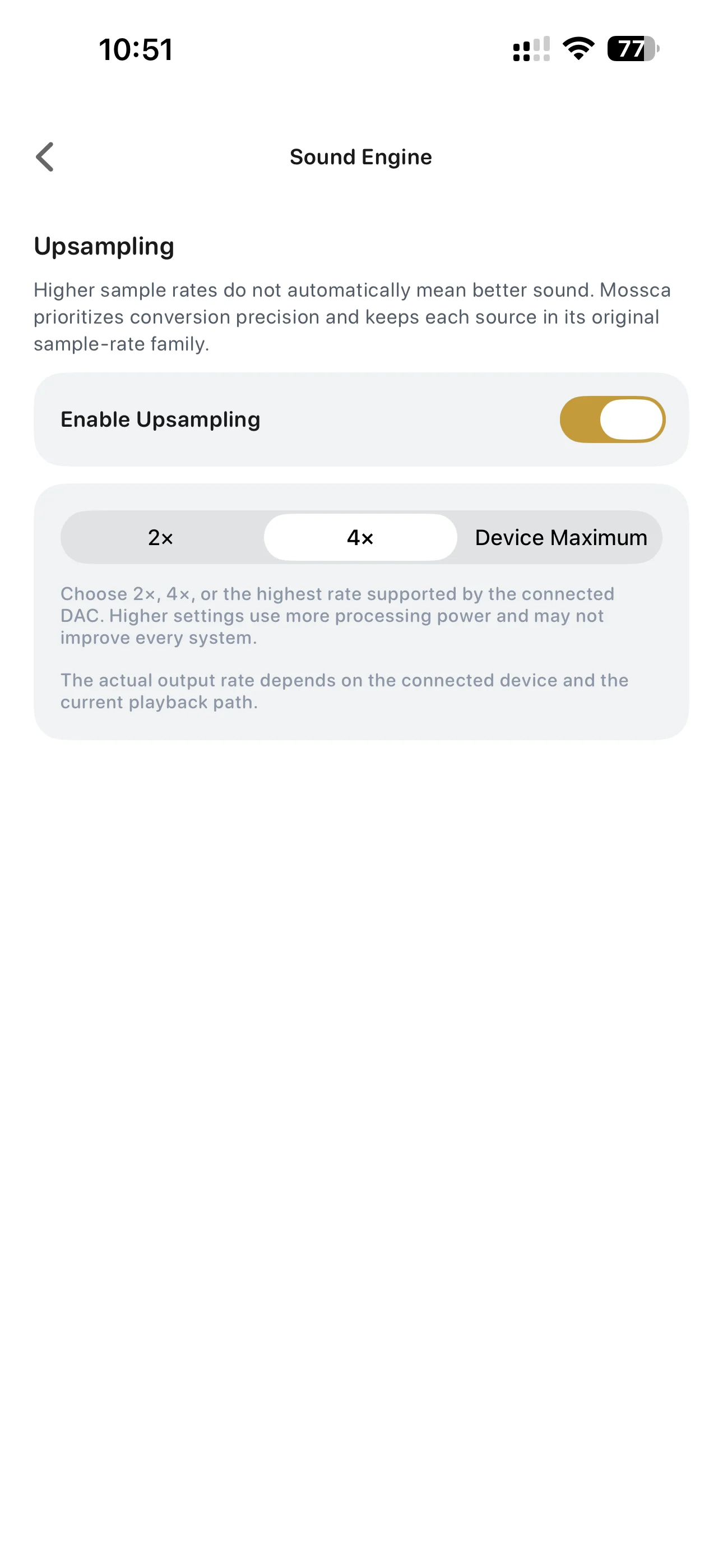
Provides high-quality sample-rate conversion and PCM upsampling to higher output sample rates.
PCM → DSD
Supports real-time conversion of PCM to DSD for output through compatible external DACs.
10-Band EQ
Supports 10-band equalizer adjustment.
Headphone Tuning
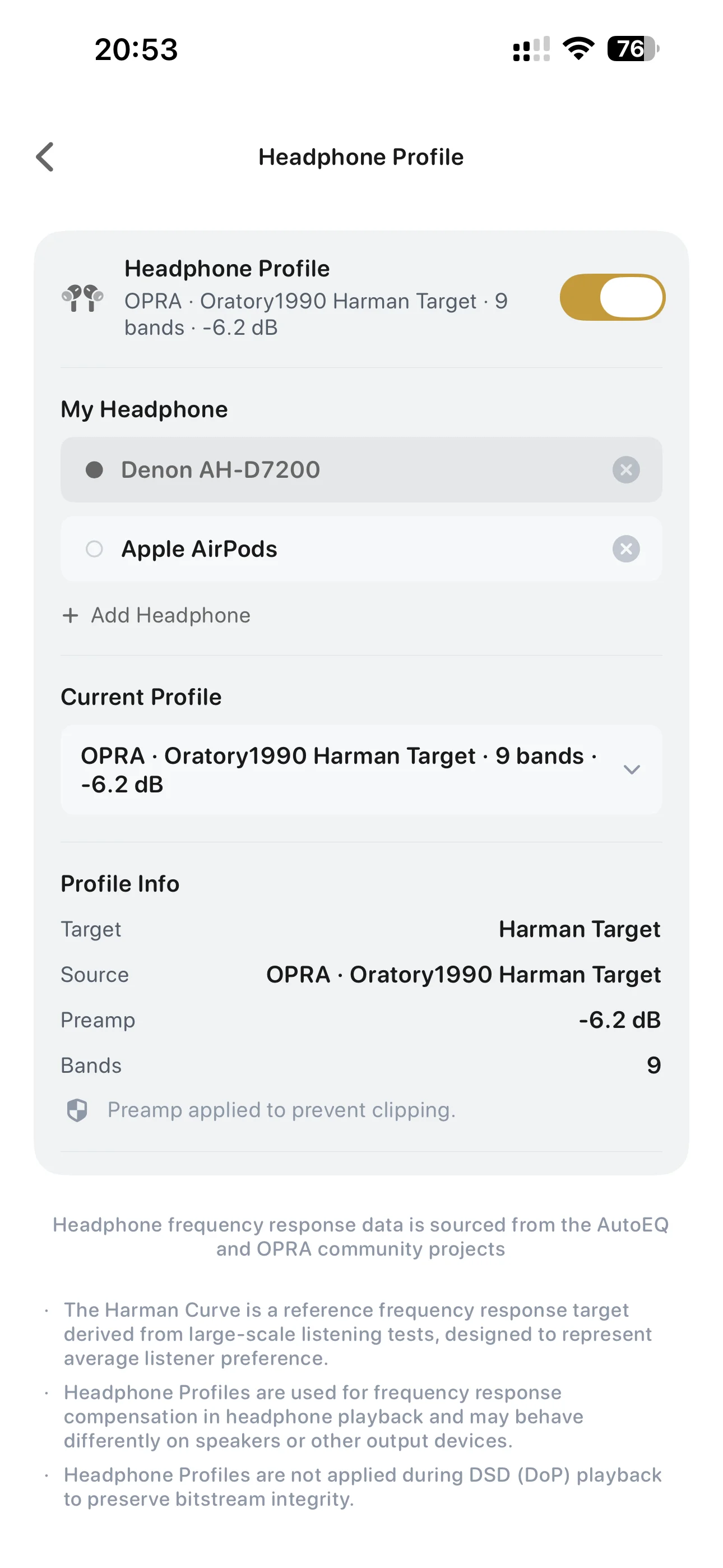
Applies frequency-response correction profiles for supported headphone models.
Signal Path
Displays the current decoding, DSP, sample-rate conversion, DSD, and output-device path.

Library Browsing

Album / Artist
Browse your personal music collection around albums and artists.
Genre
Browse your library by genre.
Search
Search Album, Artist, and Track content.
Favorites
Save albums, artists, and other music content as favorites.
Recently Played
View recently played music.
Server Home
Browse Recently Played, Recently Added, Album of the Day, Artist of the Day, Decades, and other music sections when connected to a supported music server.

Playback & Content

CUE Albums & Tracks
Automatically parses full-album audio with CUE sheets and presents individual tracks for browsing and playback.
Artwork
Reads embedded artwork and cover image files stored in music folders.
Lyrics
Supports local lyrics, embedded lyrics, and online lyric matching.
Artist Bio
Retrieves artist biography information online.
Play Queue
Manage the current queue and upcoming music.

Special Playback Modes

iPod Mode
Provides a dedicated playback interface inspired by classic iPod interaction.
Radio Mode
Provides continuous radio-style playback based on the current music library.

Interface & Personalization

Multiple Themes
Choose from multiple interface themes.

Offline & Sync

Remote Music Downloads
Download music from supported music servers to iPhone / iPad.
Offline Playback
Play downloaded music without a network connection.
Mac ↔ iPhone / iPad Sync
Sync personal music content between Mac and iPhone / iPad.

System & Service Integration

CarPlay
Browse and play your personal music collection through CarPlay.
Last.fm
Supports Last.fm Scrobbling.
Notes
Availability of DSD DoP, PCM → DSD, high-resolution PCM, SRC / Upsampling, and related capabilities depends on the audio file, iOS, selected output path, connection method, and connected audio hardware.

Availability of DSD DoP, PCM → DSD, high-resolution PCM, SRC / Upsampling, and related capabilities depends on the audio file, iOS, selected output path, connection method, and connected audio hardware.