SirenX A simple lossless music player built for your personal music library

Listen to your music collection on iPhone.
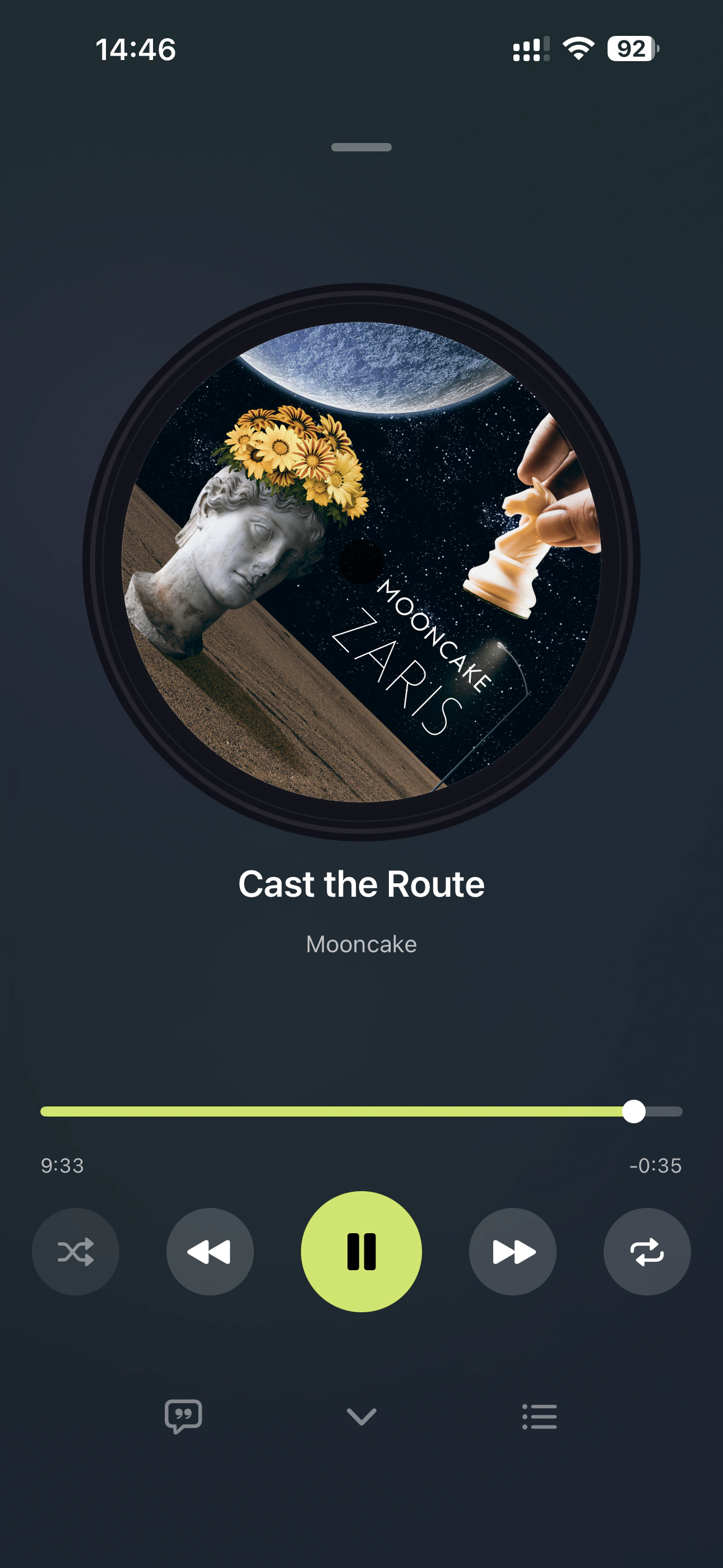
Designed for local music, lossless playback, and personal music library experience. Supports DSD, FLAC, WAV, ALAC, AIFF and other high-quality audio formats.

DSD · FLAC · WAV · ALAC · AIFF · AAC · MP3

No ads · No account · No algorithmic recommendations

Personal Music Library

Designed for Your Music Collection

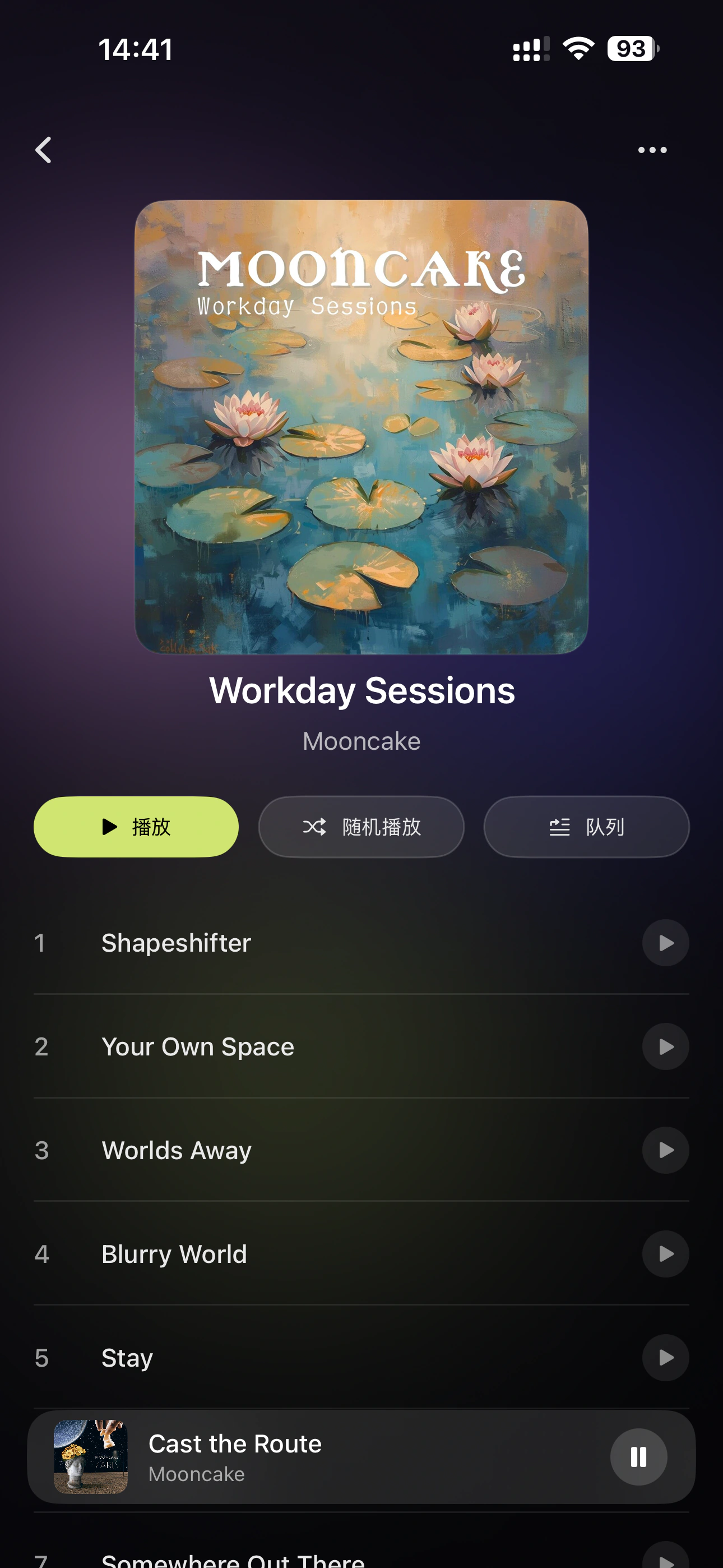
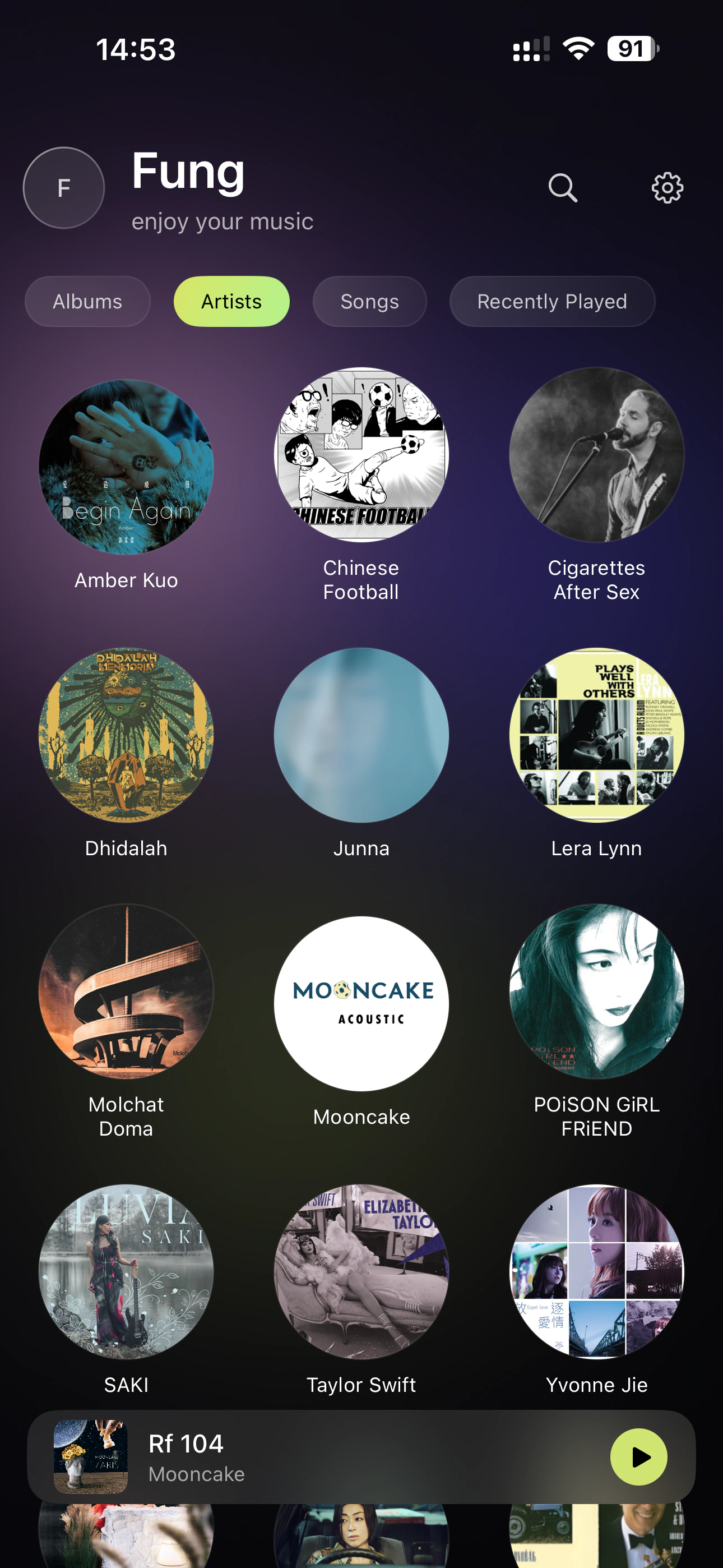
SirenX is neither a streaming service nor just a file player. It presents your personal music collection naturally through Albums and Artists, giving you a music space that truly belongs to you.

  • Browse music with Albums and Artists at the center
  • Focus on listening to the music itself
  • Browse and play large local music libraries
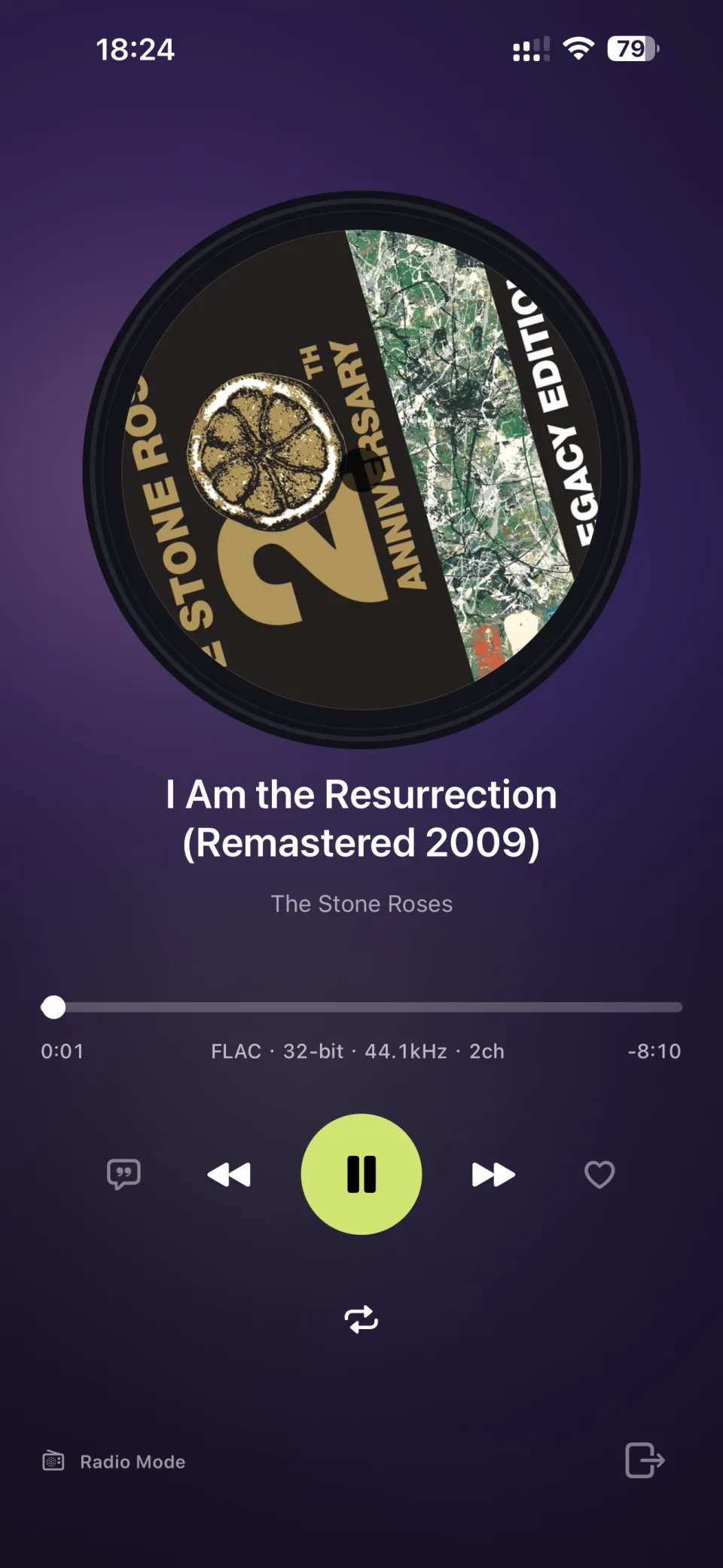
SirenX iPhone 无损音乐播放器播放界面 SirenX DSD音乐播放界面 SirenX FLAC音乐播放界面

Connect Your Music

Connect Your Music World

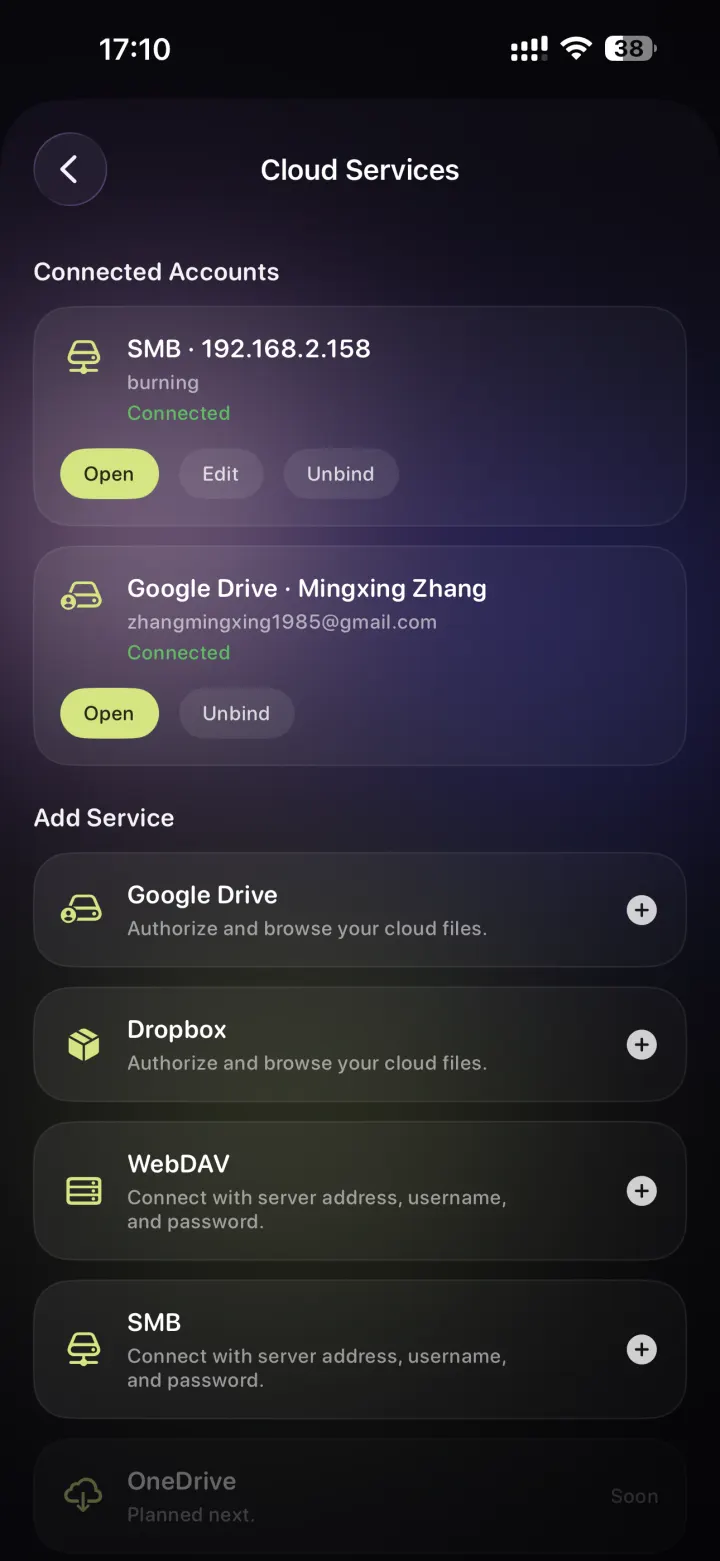
No matter where your music is stored, SirenX helps you access your personal collection whenever you want.

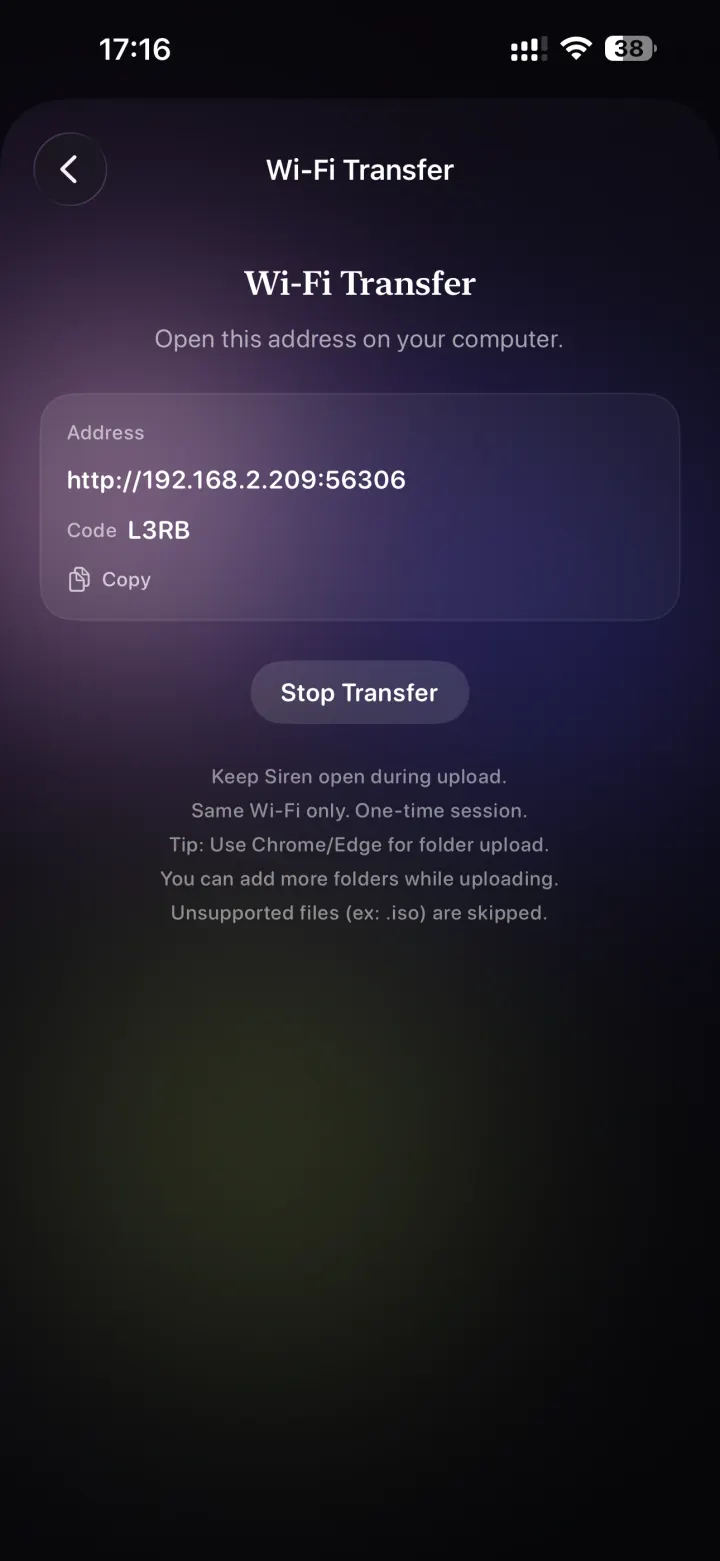
  • Local Wi-Fi Upload: Quickly import music files through a web browser on your computer
  • NAS Connection: Access your home music library through SMB and WebDAV
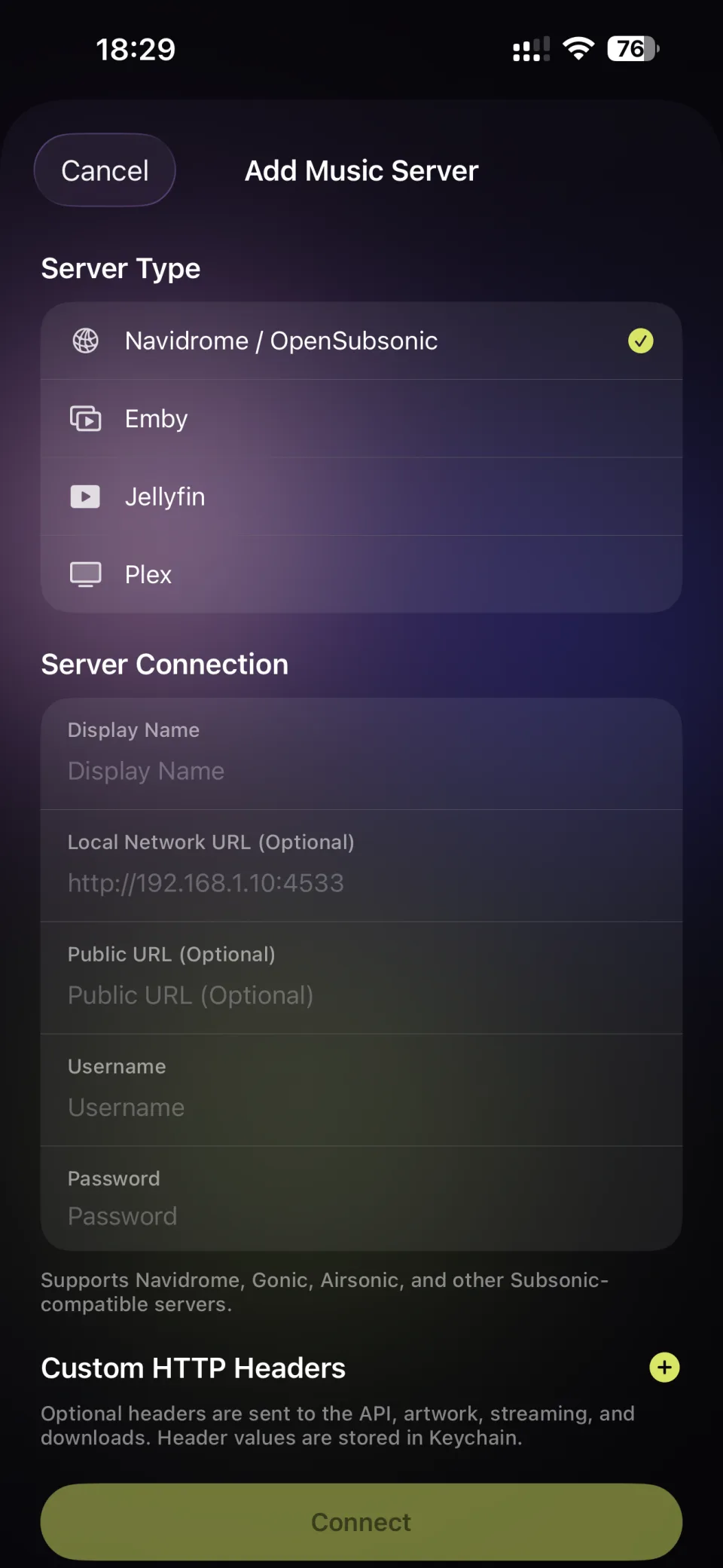
  • Navidrome / Subsonic: Connect to compatible servers including Navidrome · Emby · Jellyfin · Plex
  • File Import: Import local music through the Files app on iPhone
SirenX NAS音乐库连接
SirenX Navidrome音乐服务器连接
SirenX 音乐服务器连接设置界面

Music Library

Let Your Music Library Take Shape Naturally

SirenX reads Album, Artist, Artwork, and tag information from your music files to help build a clear and organized personal music library.

  • Browse by Album, Artist, Track, and more
  • Album-first music browsing
  • Parse full-album audio files and display individual track lists
SirenX 专辑音乐库界面 SirenX 艺术家音乐库管理 SirenX 本地音乐收藏浏览

Connected Music Library

Discover More of Your Collection with a Music Server

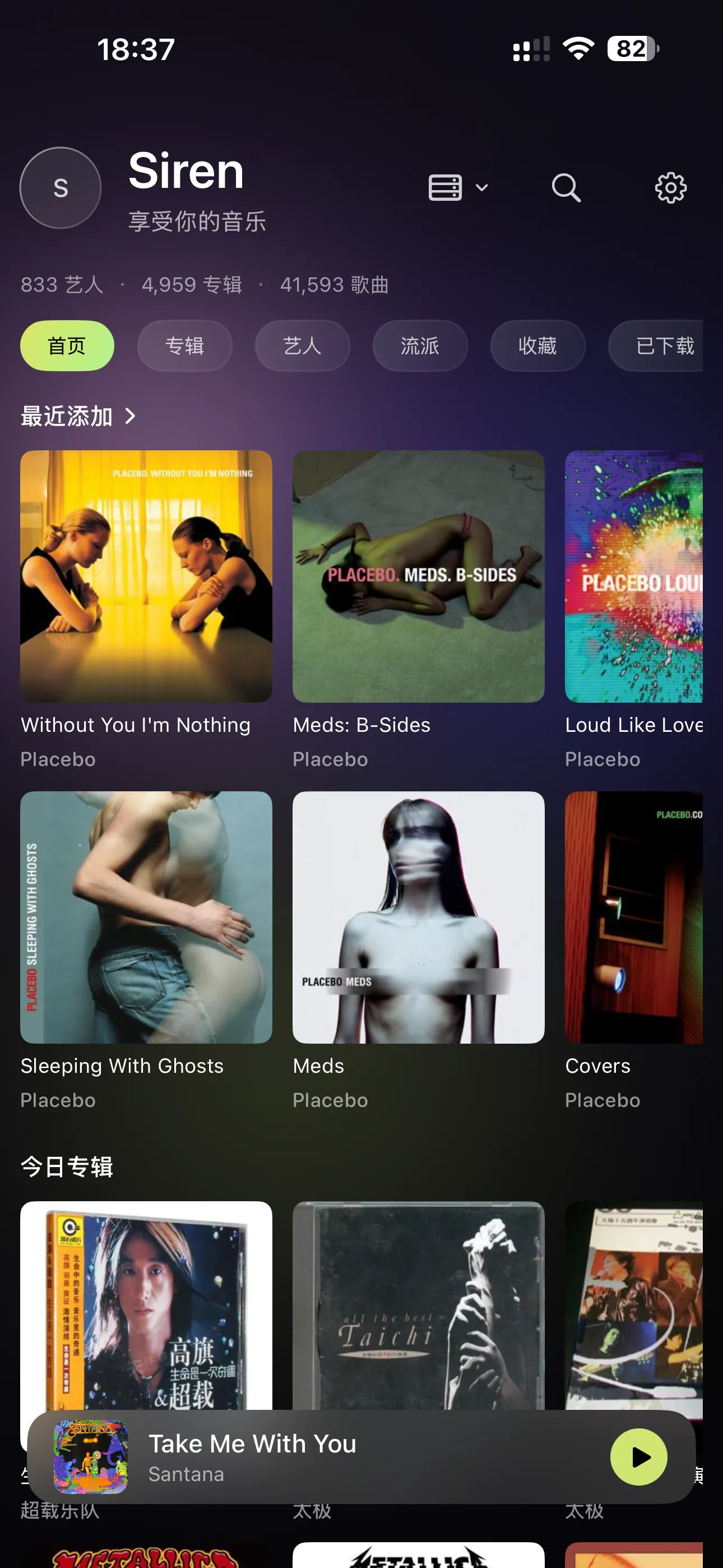
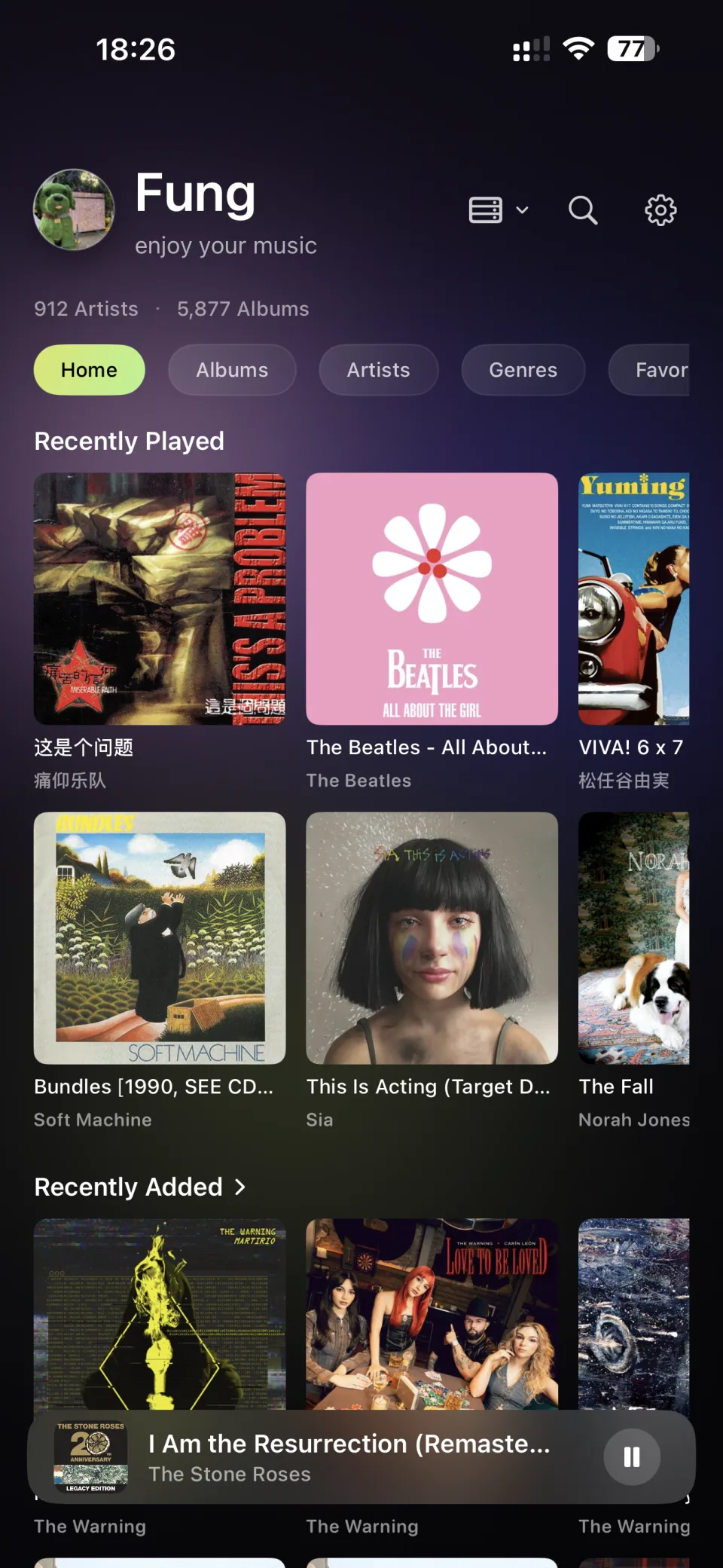
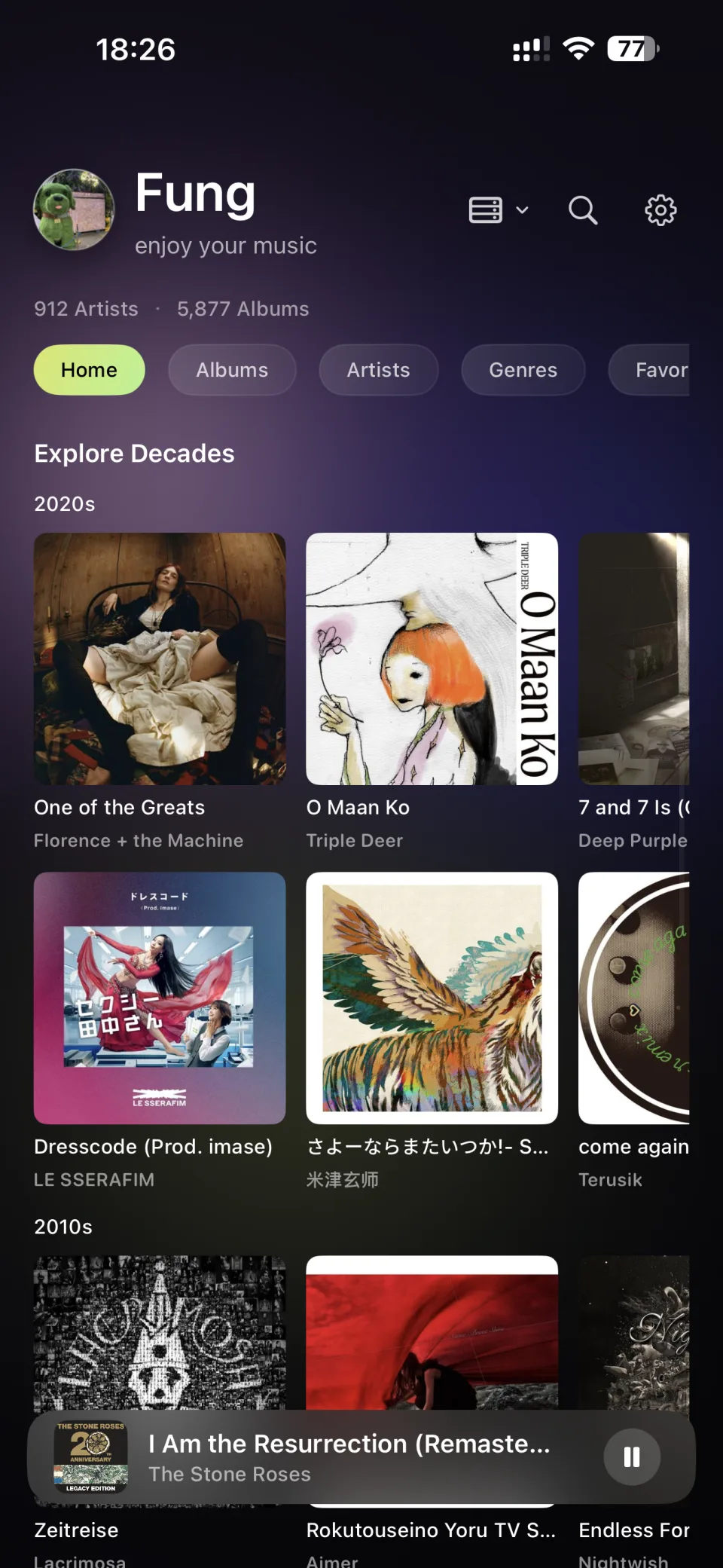
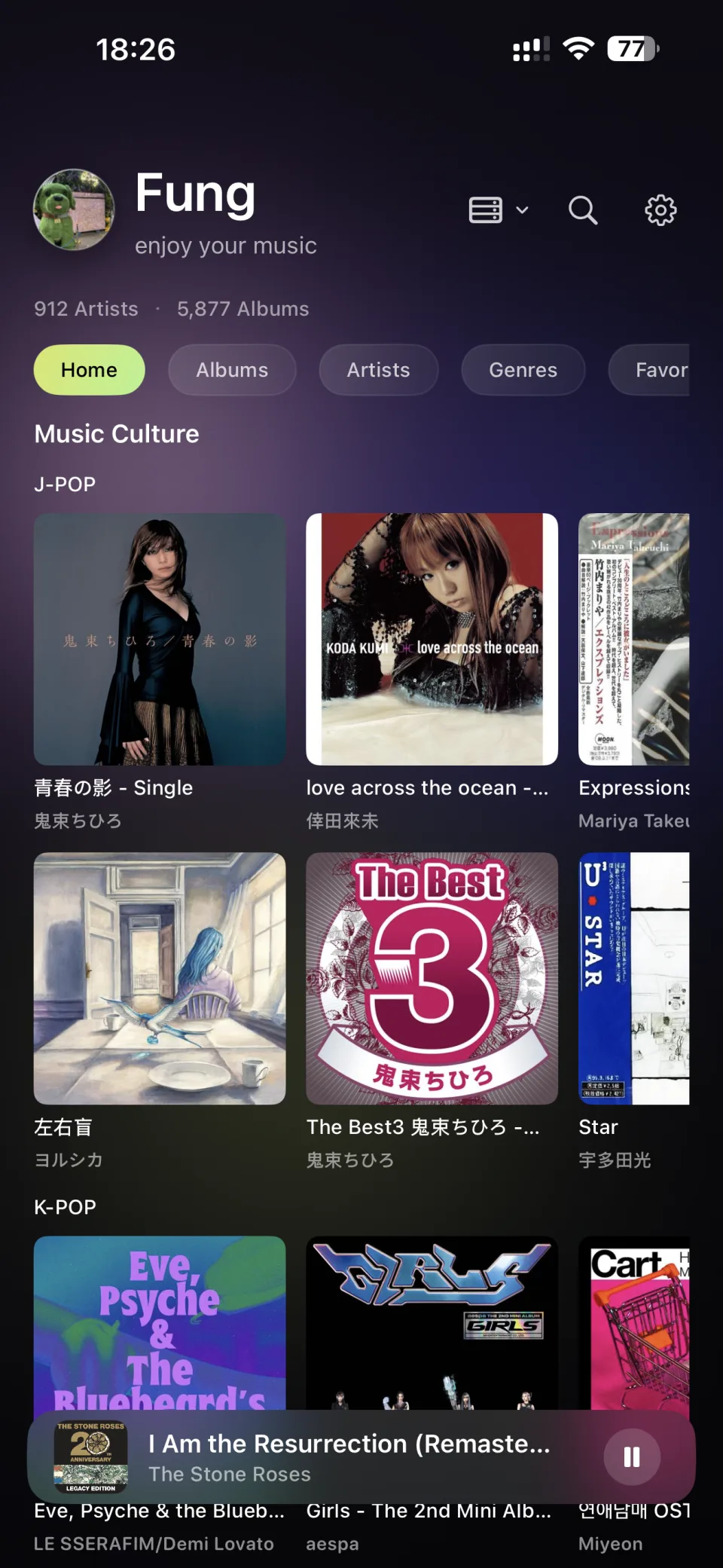
When connected to a Navidrome-compatible service, the Home screen can present your personal collection with the richness of a streaming service.

  • Recently Played
  • Recently Added
  • Album of the Day
  • Artist of the Day
  • Decades
  • Genres
  • Music Culture

You can freely switch between server sources and local sources at any time.

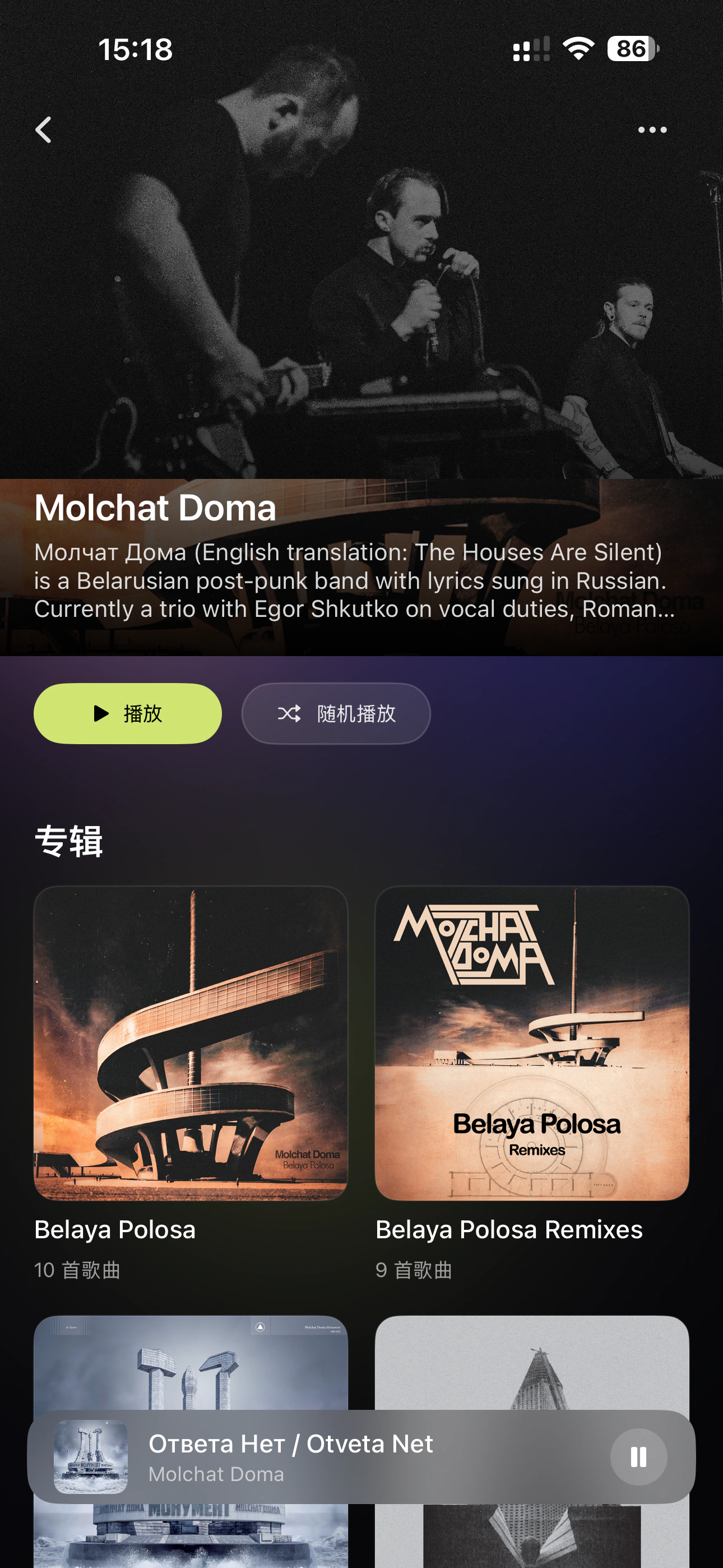
SirenX 连接音乐服务器后的首页浏览界面 SirenX 服务器音乐库专辑浏览界面 SirenX 服务器音乐库艺术家浏览界面

High Quality Playback

Built for High-Quality Listening

From high-resolution format support to playback adjustment and device-specific tuning, SirenX gives you more freedom over how you listen.

Learn More >

  • Supports high-quality formats including DSD, FLAC, WAV, ALAC, and AIFF
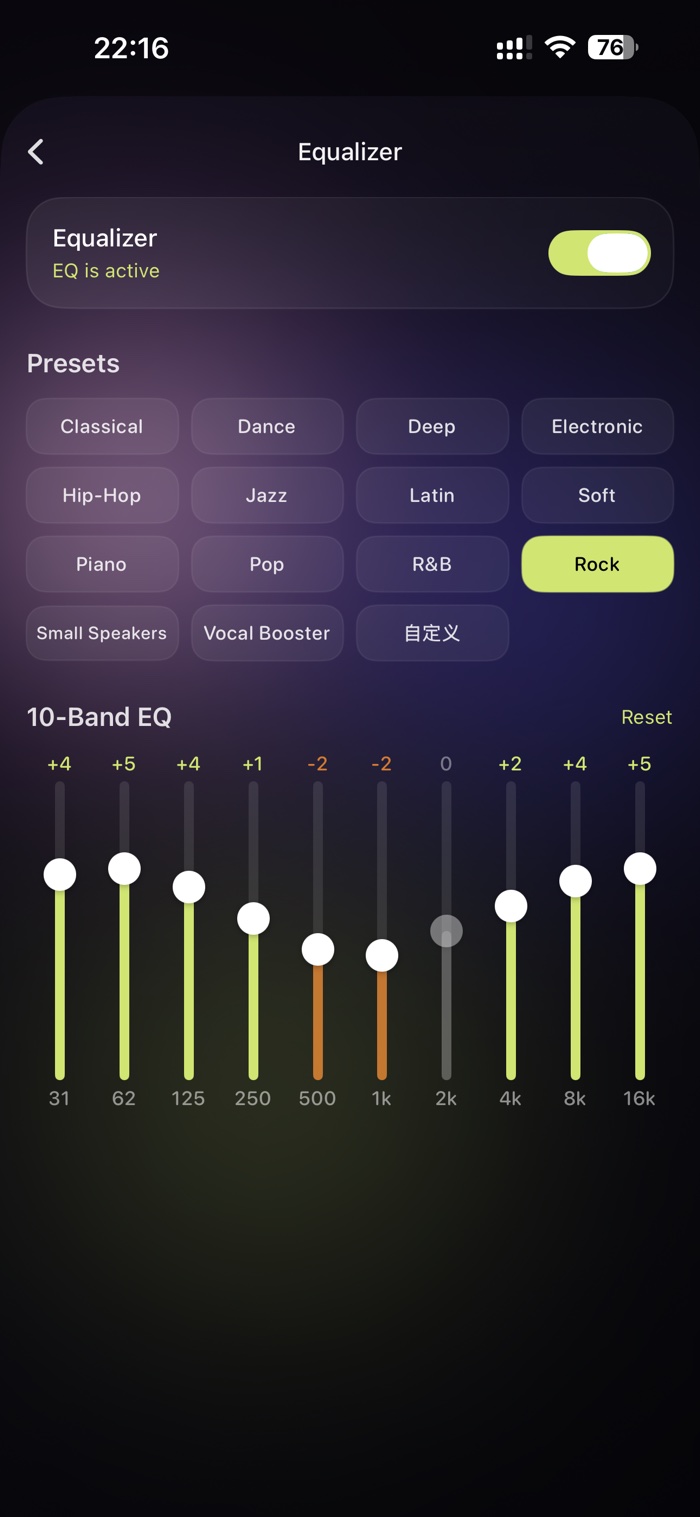
  • EQ adjustment with multiple presets
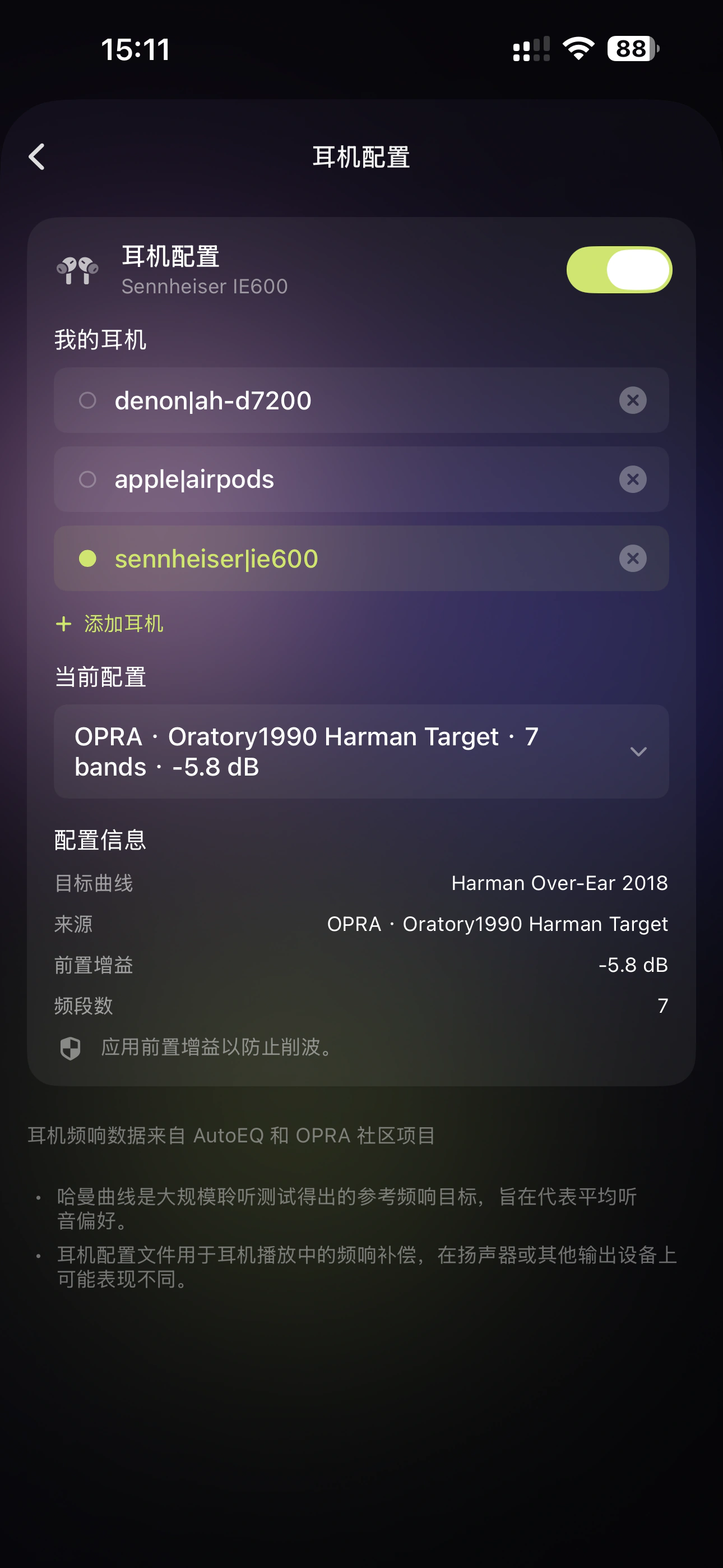
  • Headphone tuning profiles optimized for specific devices Learn More >
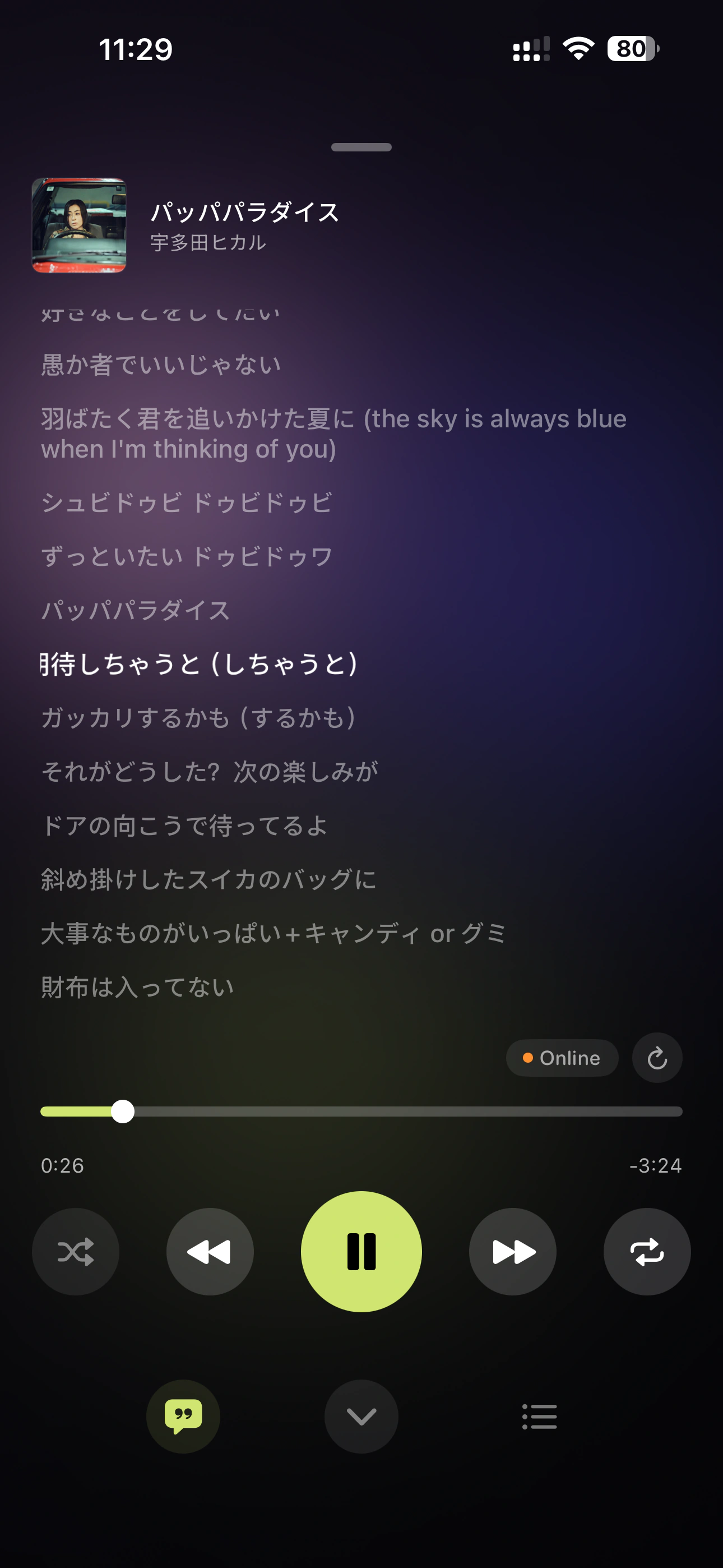
  • Lyrics display, prioritizing local lyrics with online completion when needed
SirenX EQ均衡器设置 SirenX 耳机调音配置 SirenX Last.fm Scrobbling设置

Connected Experience

Connect Music with Your Daily Life

SirenX is more than a player. It becomes part of your everyday listening experience.

  • Apple CarPlay support for safer music control while driving
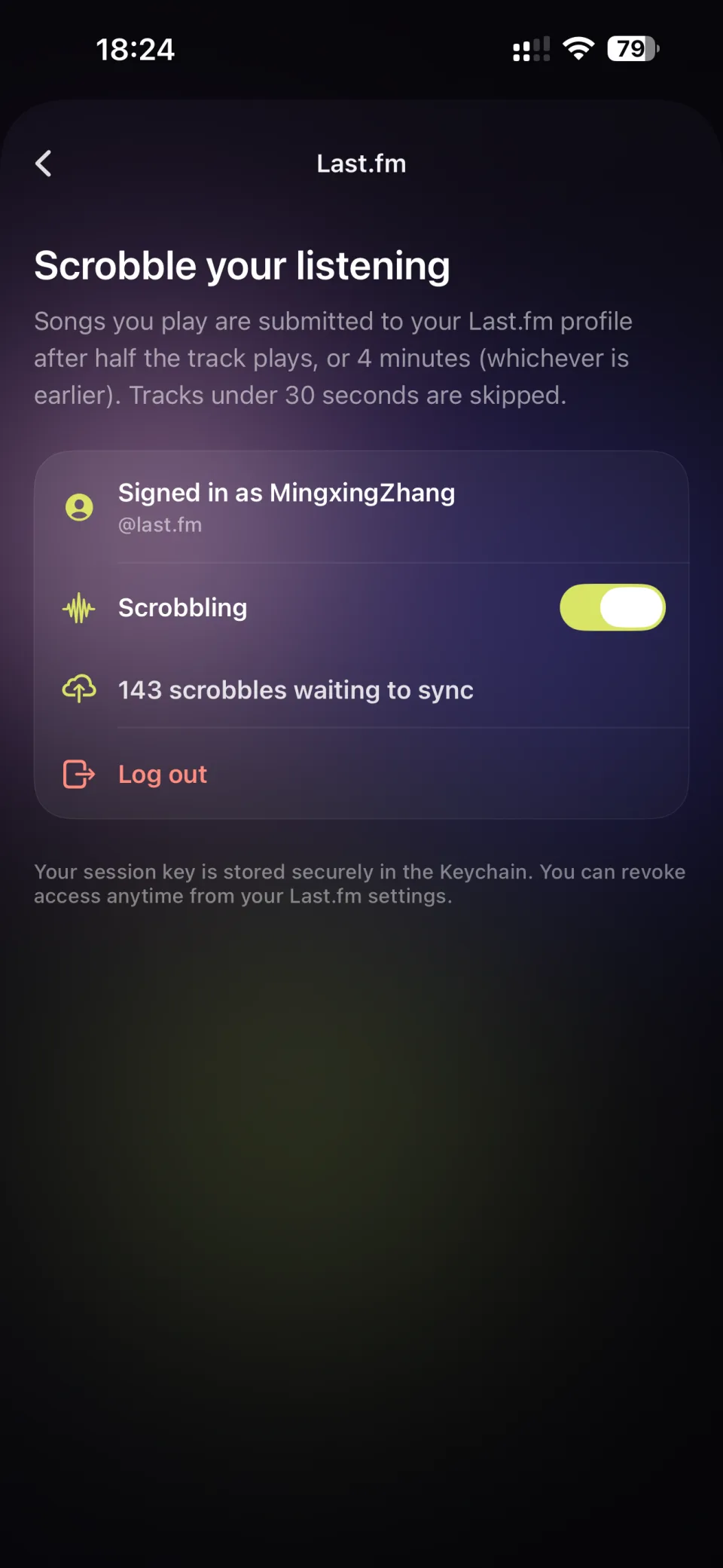
  • Last.fm Scrobbling to build your long-term listening history
  • Radio Mode for enjoying your music library whenever you are not sure what to play
SirenX Apple CarPlay 音乐播放界面 SirenX 电台模式音乐播放界面

Specifications

A simple personal music playback experience designed for iPhone and iPad.

iPhone & iPad

SirenX for iPhone & iPad

Supported Formats

DSD: DSF / DFF · FLAC · WAV · AIFF · ALAC · MP3 · AAC / M4A · CUE sheets

System Requirements

iOS 16.0 or later
iPhone · iPad

Languages

简体中文 · 繁體中文 · English · 日本語 · 한국어 · Deutsch · Français · Español · Português (Brasil) · Italiano · Polski · Русский

Music Sources & Connections

Local Music

Supports music stored locally on iPhone / iPad and files imported through the system Files interface.

Wi-Fi Upload

Upload music to iPhone / iPad through a web browser on the local network.

SMB / WebDAV

Access music stored on NAS devices, home servers, and other network storage through SMB or WebDAV.

Music Servers

Supports Navidrome and compatible Subsonic / OpenSubsonic servers, plus Emby, Jellyfin, and Plex music libraries.

Original Audio & Server Transcoding

Play original audio streams directly or use server-side transcoding. Available formats and bitrates depend on server configuration.

Transcoding Quality

Choose server-provided transcoding quality and bitrate for remote playback.

Custom HTTP Header

Configure custom HTTP Header values for remote music servers, including Reverse Proxy and Cloudflare Access environments.

Dual-Address Connection

Configure separate LAN and remote addresses for a music server, with automatic switching based on the current network.

Audio Processing

High-Quality PCM Playback

Supports common lossless and high-resolution PCM audio playback.

DSD Playback

Supports DSF / DFF and selects a compatible playback path based on the current device and output capabilities.

10-Band EQ

Supports 10-band EQ adjustment and presets.

Headphone Tuning

Applies frequency-response correction profiles for specific headphone models and supports tuning data from AutoEQ and OPRA.

Library Browsing

Album / Artist

Browse your personal music collection around albums and artists.

Genre

Browse your library by genre.

Search

Search Album, Artist, and Track content.

Favorites

Save albums, artists, and other music content as favorites.

Recently Played

View recently played music.

Server Home

Browse the home and music sections provided by supported music servers.

Playback & Content

CUE Albums & Tracks

Automatically parses full-album audio with CUE sheets and presents individual tracks for browsing and playback.

Artwork

Reads embedded artwork and cover image files stored in music folders.

Lyrics

Supports local lyrics, embedded lyrics, and online lyric matching.

Artist Bio

Retrieves artist biography information online.

Play Queue

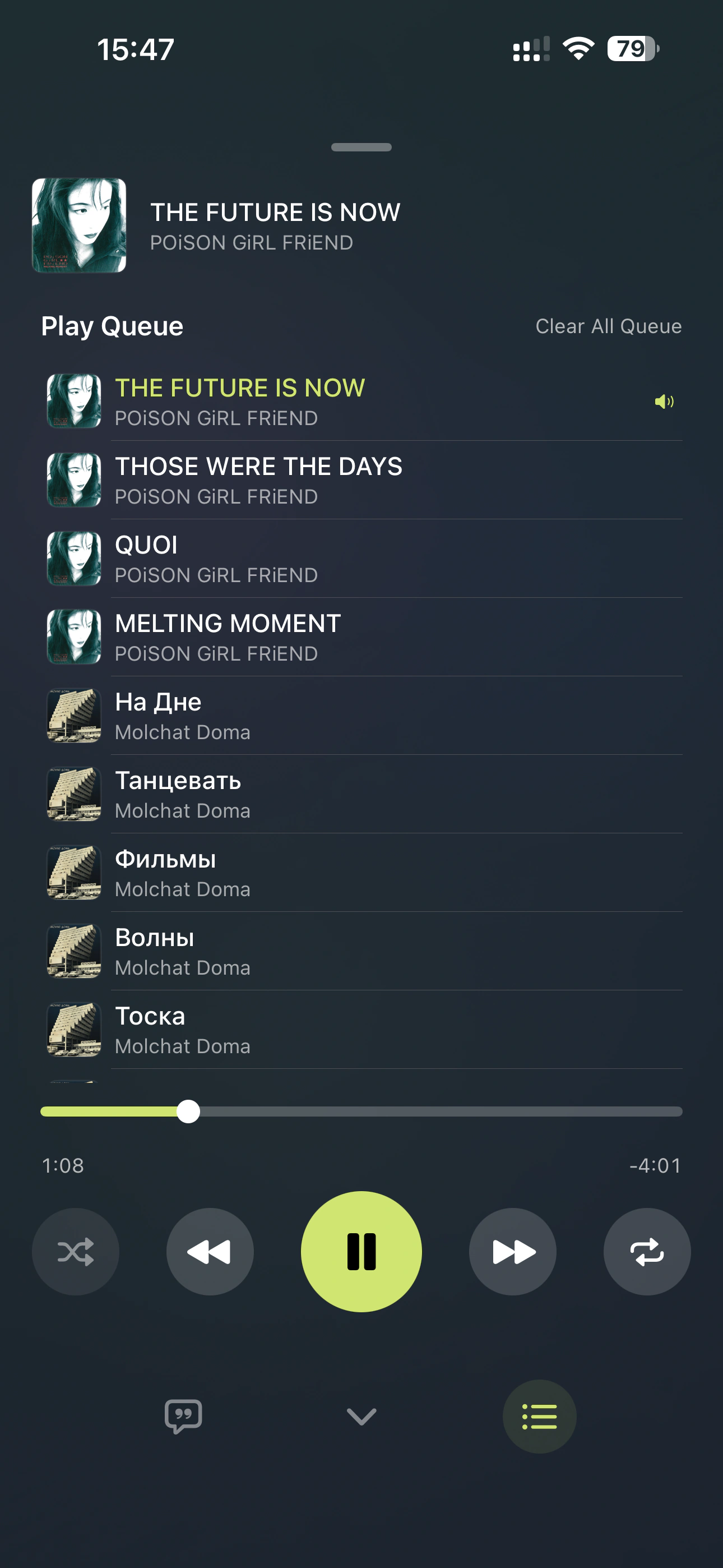
Manage the current queue and upcoming music.

Special Playback Modes

Radio Mode

Supports radio-mode playback.

Offline & Downloads

Remote Music Downloads

Download music from supported music servers to iPhone / iPad.

Offline Playback

Play downloaded music without a network connection.

Background Downloads

Continues eligible music download tasks in the background subject to iOS system conditions.

System & Service Integration

CarPlay

Browse and play your personal music collection through CarPlay.

Last.fm

Supports Last.fm Scrobbling.

System Media Controls

Supports the Lock Screen, Control Center, and system media controls.

Product Features

Free

SirenX is available free of charge.

No Ads

SirenX contains no advertising.

No SirenX Account Required

Use local music and configured personal music servers without creating a SirenX account.

No Subscription

Core playback features do not require a subscription.

Availability of DSD, high-resolution PCM, remote playback, and Server Transcoding depends on iOS, network conditions, server configuration, and the current playback path.

Focus on Listening to Your Music Collection
SirenX gives your personal music library a free, simple, and high-quality listening experience on iPhone.