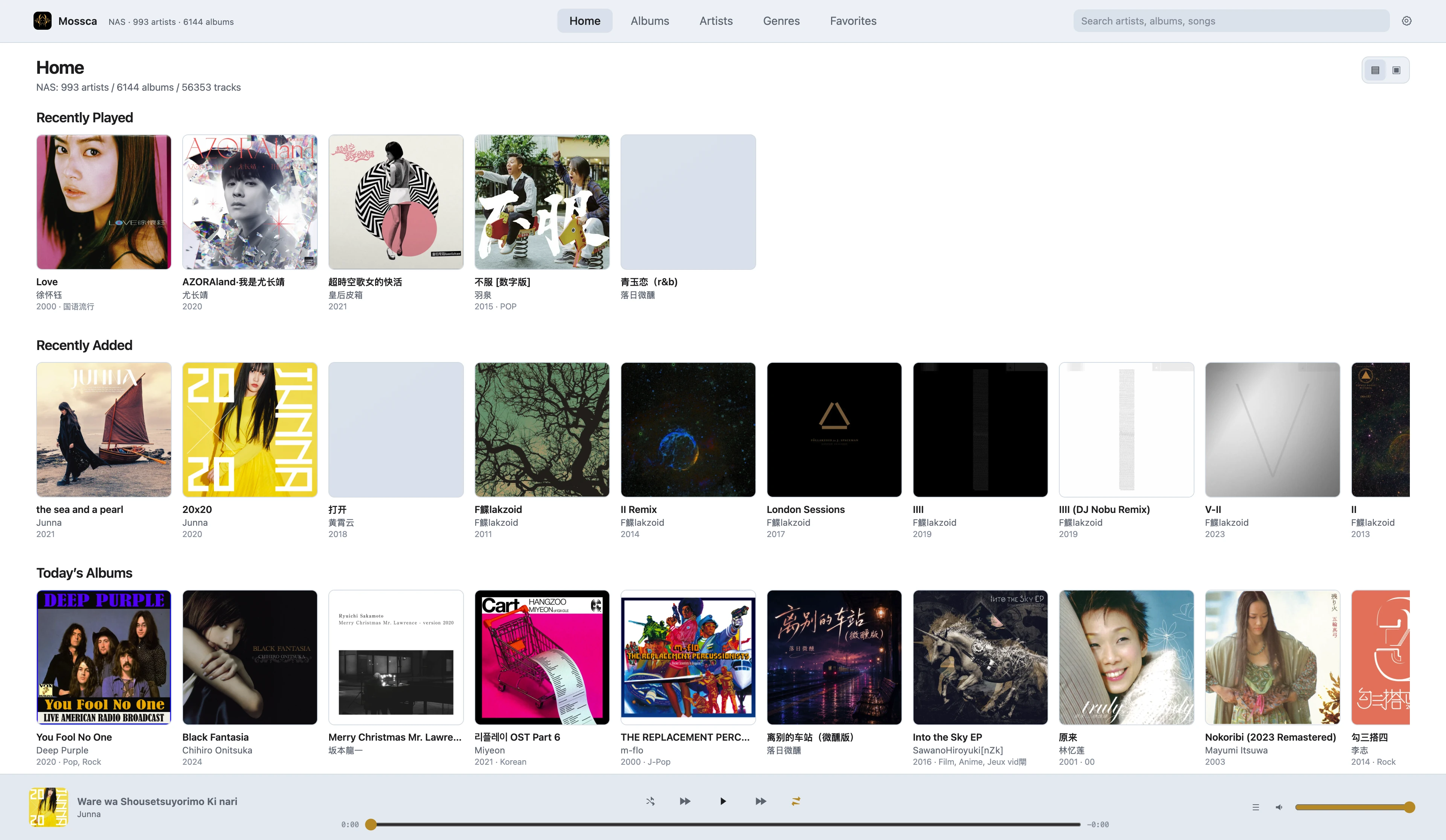
A Self-Hosted Music Service Built for Personal Music Libraries
Comprehensively scan your music library, organize it around Albums and Artists, and use Tags and Metadata-assisted tools to keep your collection structured.
Access your library from Web, Mac, and iOS. Designed for NAS systems and large personal music collections.
Self-hosted · Docker · NAS · Web · macOS · iOS
Why Mossca Server When Navidrome Already Exists?
Make your personal music library more complete, clearer, and easier to maintain over time.
Stronger scanning: No matter how your music files are organized, Mossca Server aims to scan and include as much of your collection as possible while minimizing omissions.
Faster, better organization: Optimized for large libraries, centered around Artists and Albums, with Tags connecting and organizing your collection.
Less manual cleanup: Automatically identifies issues in source Metadata and helps complete and organize missing information.
01
More Complete Music Scanning
Your music does not need to follow a fixed directory structure.
Mossca Server supports:
Complex folder structures
Multi-disc albums
CUE
Incomplete Metadata
Inconsistent Artist / Album Artist values
Different audio formats
The goal is simple: avoid losing music from your library just because directories or Metadata are not perfectly standardized.
02
Built Around Albums and Artists
Mossca Server organizes your library around Album · Artist.
Mossca believes that Artists and Albums are the core of a personal music library, and that an album represents a complete artistic work.
03
Tag Organization (In Development)
In addition to fixed fields such as Genre and Year, Tags can be used to organize Albums and Artists.
Post-Rock
ECM
Japanese Jazz
Live
Christmas
1970s
You can also edit and create your own Tags:
Night Listening
Island Vacation
South American Reggae
Tags provide a more flexible way to organize a library than traditional fixed categories.
04
Metadata-Assisted Organization (In Development)
Mossca Server can continuously identify Metadata issues in your music library:
Missing artwork
Missing year
Missing Genre
Missing Album Artist
Incomplete Album information
Potentially incorrect Metadata
Missing information can be supplemented with suggested matches. For potentially incorrect Metadata, Mossca Server prioritizes recommendations and only writes changes back after confirmation, reducing the need to manually fix albums one by one.
05
Optimized for Large Music Libraries
Designed for smooth use with libraries containing tens of thousands of albums:
Incremental scanning
Local indexing
Search
Paginated loading
Artwork Cache
Background task scheduling
Playback priority
06
Access Across Multiple Devices
The same Mossca Server music library can be accessed through:
Web
Open it directly in a browser.
Mac / iOS
Browse and play through the Mossca client.
CarPlay
Bring your personal music library into your in-car listening experience.
LAN / Remote Access
Access your library on your home network or combine Mossca Server with your own remote-access solution.
Your music library, available seamlessly across different listening scenarios.
07
Server Specifications
Self-hosted deployment, scanning, organization, and multi-device access for personal music collections.
Deployment & Runtime
Deployment
Docker · NAS / Home Server · Desktop Server
Supported Environments
Synology · QNAP · Unraid · TrueNAS · Linux · macOS with Docker · Windows Desktop
Image & Port
ghcr.io/fungansar/mossca-server:latest
Default port: 45331
Music Library & Scanning
Music Directory
Mount your music directory at /music. Complex subdirectories, deeply nested structures, and large libraries are supported.